



Did you know that you can use Kami on an iPad? This guide will walk you through:
- Accessing Kami on an iPad
- Opening Google Classroom assignments in Kami
- Limitations to be aware of when using Kami on iOS
Is there a Kami app for iOS?
We do not have a Kami iOS app, so you will not be able to find it on the App Store. Our mission for Kami is to make it the best it can possibly be in the Chrome environment.
Can you access Kami on an iPad?
Yes, you can still access Kami on an iPad. This can be done through your browser.
To access Kami on an iPad:
- Go to kami.app in your Chrome app.
- Click Sign in and log in using your school email account details.
- Open any documents into Kami using the Open from Drive, Kami Library, any files assigned via your LMS or Open from Computer options.
Features available on iPad:
Once your file has loaded in Kami, you can make full use of the toolbar, with some notable exceptions. You will not be able to:
- Comment Tool – Screen Capture
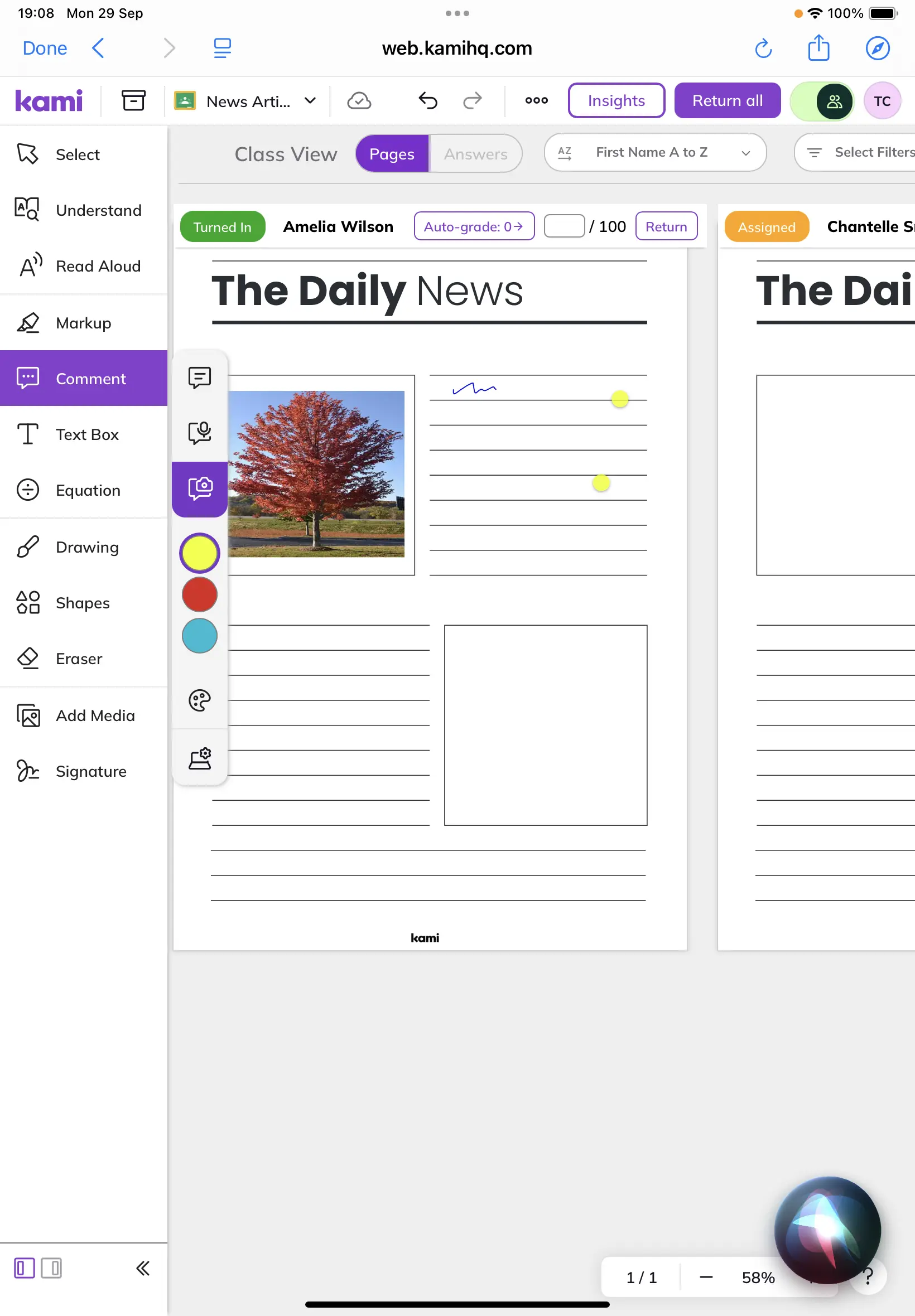
All other tools will function as normal and edits to docs will be synced to Google Drive.
How do you open a Google Classroom assignment with Kami on an iPad?
Google Classroom Assignments can be opened and completed in Kami on an iPad using the following the instructions.
Can you use Google Classroom to grade on an iPad?
Yes! You can grade and give feedback from an iPad device. However, you will ned to assign a Kami Assignment form a laptop or PC device. Learn how to create a Google Classroom Assignment.
Explore Kami’s LMS Integrations
Kami integrates seamlessly with:
Even if you’re using an iPad, Kami can still support your classroom with accessible tools for annotation, collaboration, and creativity. Read our more about compatible devices.
Blogs you may also like
National Family Literacy Month ideas for home and school

Book Creator’s new classroom writing tool puts formatting controls where students can actually use them
How Michigan CTE programs can turn Section 61v funding into stronger documentation