
Digital citizenship in schools: screen value over screen time


This is part of Kami’s ongoing series of executive briefings for education leaders. Each month, we’ll discuss solutions to a top-of-mind issue and share actionable resources and inspiration for leading your team. Be sure to subscribe to have this free resource delivered to your inbox.
If screen time conversations have dominated your recent leadership meetings, you’re not alone. Parents’ and board members’ frustration is real, and for good reason. When technology is handed out without a clear instructional purpose, it becomes a digital babysitter that can dull critical thinking rather than building it.
Banning screen time in schools entirely isn’t the answer either, not when our students are stepping into an AI-driven world that demands fluent digital citizenship.
True digital citizenship was never meant to be a static list of “don’ts” for a specific app or an arbitrary number of minutes on a screen. Digital citizenship, when done right, creates a culture of critical thinking, agency, and intentionality that applies whether a student is searching the web, typing a document, or using an online tutor.
The way forward isn’t choosing between a complete tech ban or an unguided digital free-for-all. It starts with redefining digital citizenship. At its core, true digital citizenship drives intentional blended learning that integrates educational technology with traditional analog schooling.
Shift the Focus from “Screen Time” to “Screen Value”
Counting minutes on a screen misses what actually matters in a classroom. District leaders should measure screen value instead.
There is a world of difference between passive digital consumption and active digital creation in the K-12 setting (one could even argue this for adults past school age in the workforce as well):
- Passive Screen Time (Low Value): A student clicking mindlessly through a heavily gamified app to earn digital rewards. It requires almost zero cognitive heavy lifting and often leads to “digital amnesia,” where students rely on the device to do the thinking for them.
- Intentional Screen Use (High Value): A student using a digital workspace to mark up a complex primary source, recording a quick voice note to explain their mathematical reasoning, or using real-time audio scaffolds to access grade-level text.
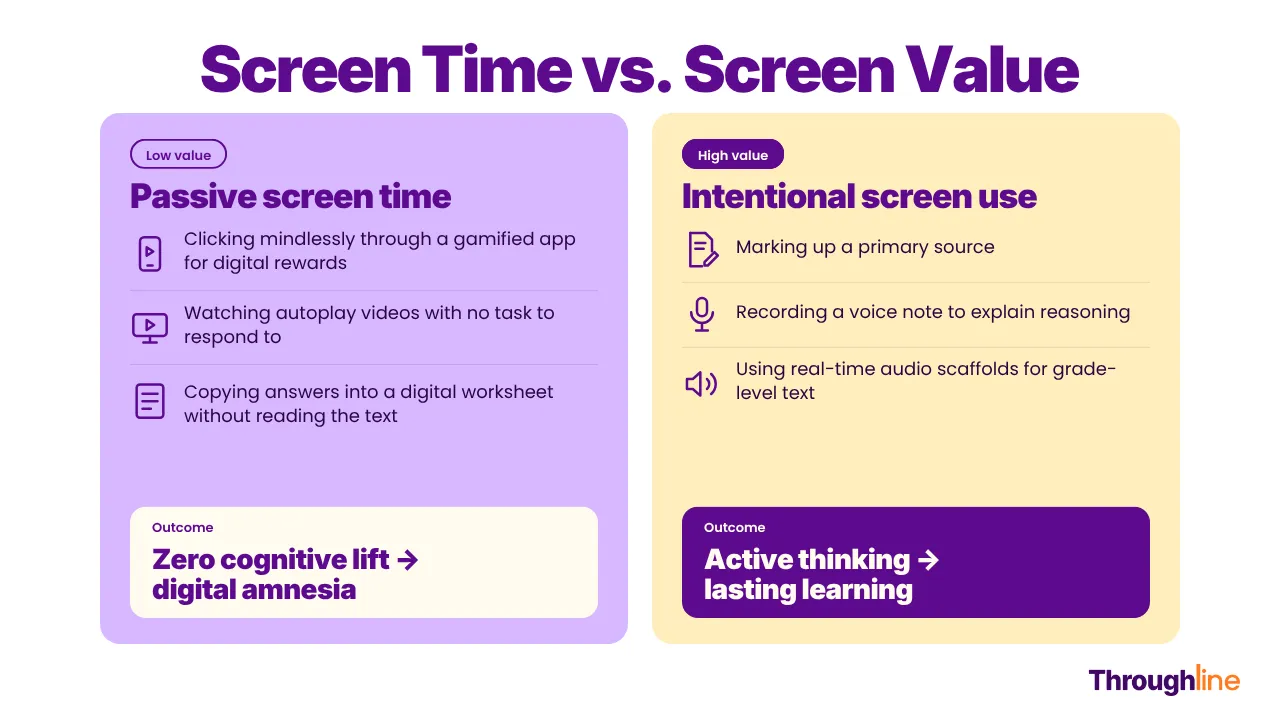
When we model and teach high-value screen use early on, digital citizenship becomes the internal compass students use to evaluate how and why they use a tool.
The ISTE Standards: The Digital Citizenship Blueprint
With technology evolving every week, writing policies for individual apps is a losing game. That’s why grounding digital citizenship work in the ISTE Standards is so effective. They give us an enduring framework for students and educators, no matter what edtech platform comes next.
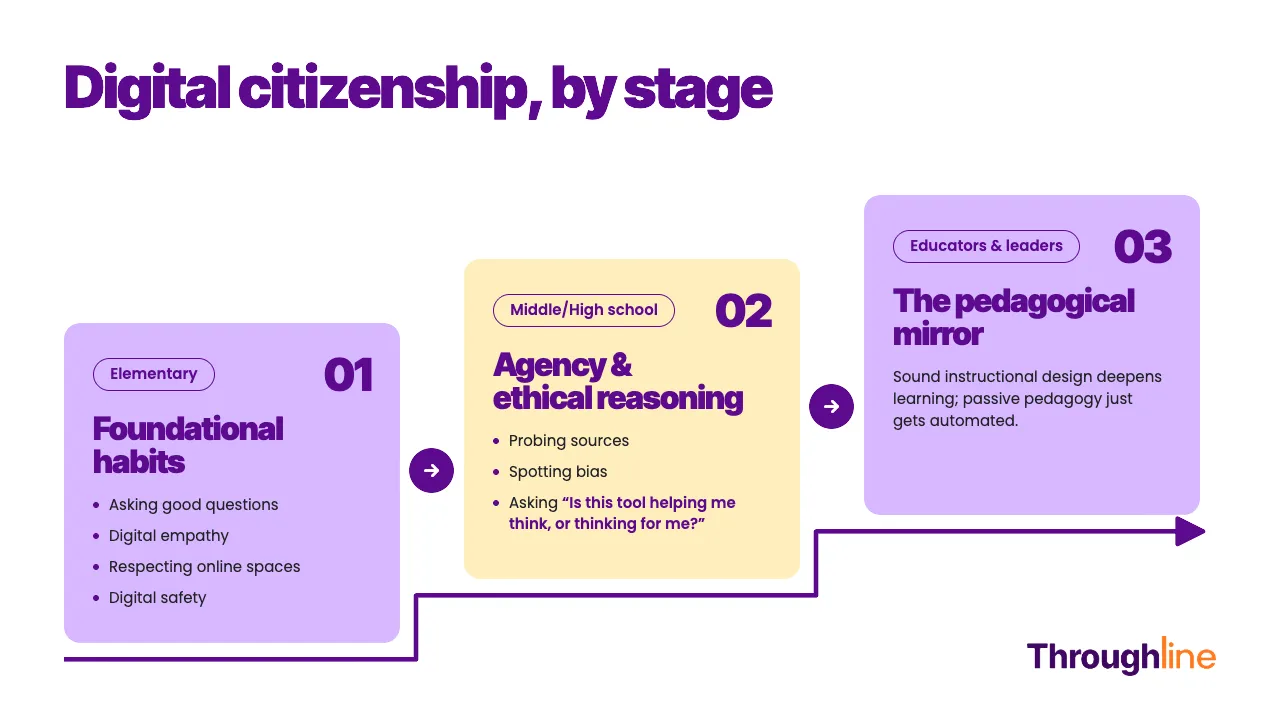
When our edtech tools meet these high standards of inclusive design, digital citizenship moves from a theoretical framework to a daily practice:
- Elementary Schools: Digital citizenship should start before students ever encounter AI at school. It’s about building foundational habits, learning how to ask good questions, understanding digital empathy, and recognizing that online spaces require the same respect as physical classrooms. We also need to recognize that most of what young kids learn about technology comes from home. When partnering with families, our approach shouldn’t involve shaming. Many great resources, like picture books, read-alouds, and simple family conversations, naturally help build healthy digital habits.
- Middle/High Schools: As students encounter complex algorithms, digital citizenship shifts toward agency and ethical reasoning. It’s teaching them to probe sources, spot bias, navigate ambiguity, and ask: Is this tool helping me think, or is it thinking for me?
- For Educators and Ed Leaders: How we use educational technology is simply a pedagogical mirror. It scales whatever environment it enters. If our pedagogy is passive, edtech just automates subpar teaching and learning practices. But when anchored in sound instructional design, intentional edtech expands access and deepens learning outcomes.
It’s also why independent validation matters so much when building a district EdTech stack. Kami and Book Creator both carry the ISTE Seal and hold prestigious CAST UDL Product Certification.
Why does this matter for digital citizenship? Because true digital citizenship cannot happen in an environment with accessibility barriers to learning:
The ISTE Seal verifies that a platform actively supports evidence-based pedagogy, user agency, and digital literacy rather than passive consumption. It ensures the tool is built to foster the critical thinking skills the standards demand.
CAST UDL Certification proves that accessibility is designed into the core interface, not retrofitted as an afterthought. When tools naturally provide multiple means of engagement, representation, and expression, every student can participate independently.
The Danger in Ignoring DigCit in the Age of AI: “Cognitive Bypass”
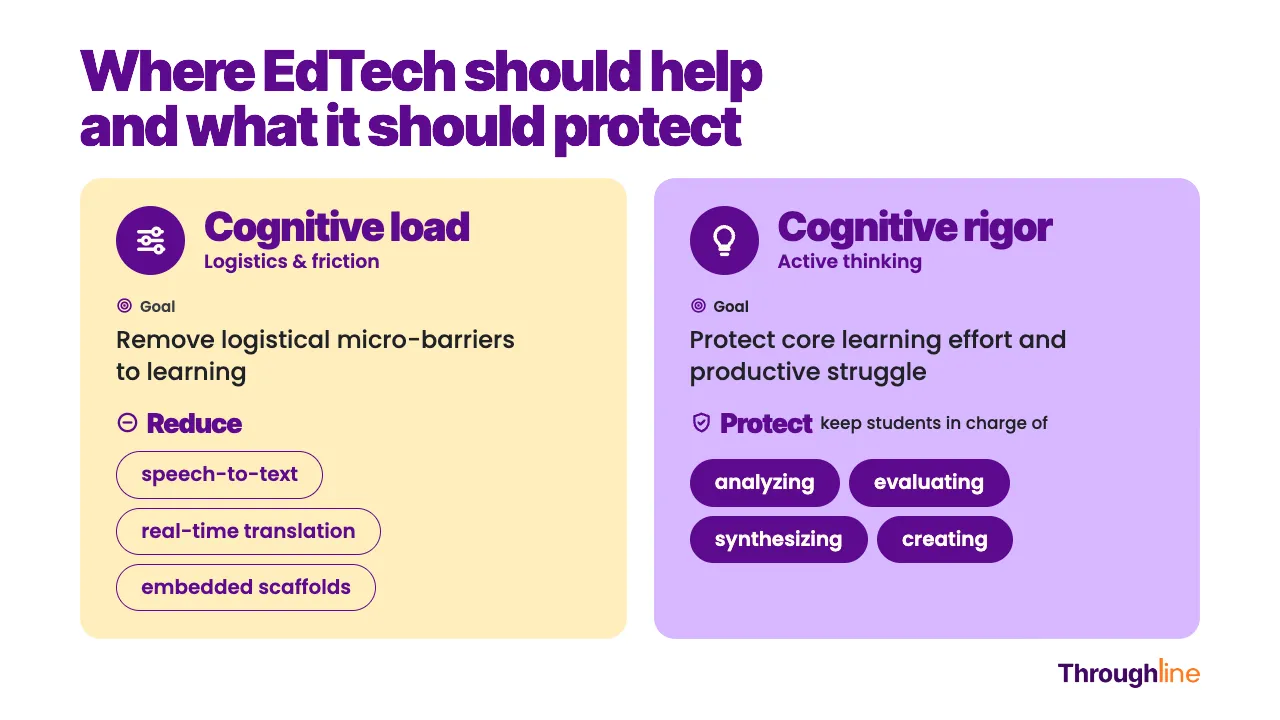
The ultimate test of modern digital citizenship is protecting human agency. In the age of AI wrappers and instant-answer generators, the temptation to hit the “easy button” is huge. But when technology does the heavy lifting of synthesis, drafting, and analysis, it triggers a cognitive bypass that strips away the productive struggle required for deep learning. This is true for our school-aged children, but also for adults.
As educational leaders, we have to help our teams maintain clear boundaries with technology:
Three Strategic Actions for District Administrators
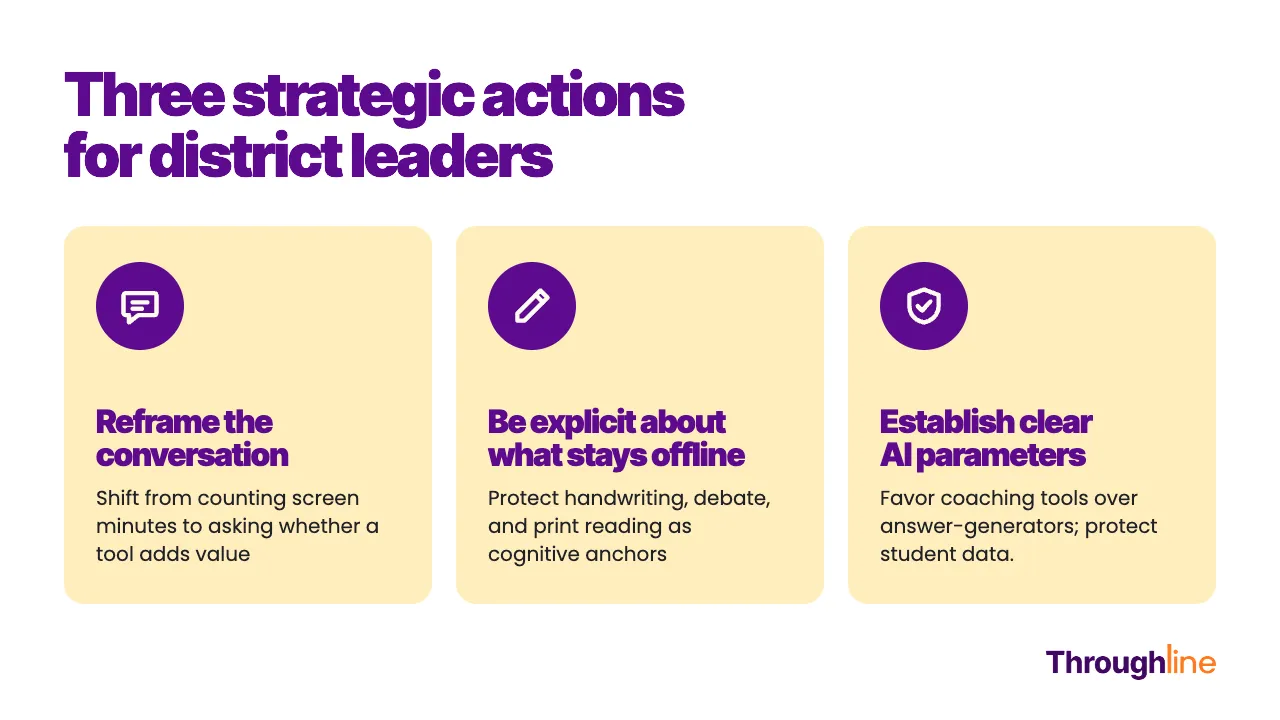
1. Reframe the Conversation: Screen Value as Digital Citizenship
Tracking “minutes on a device” treats an interactive, high-rigor simulation the same as passive video scrolling. Digital citizenship starts with teaching students to ask that same question about their own device use, shifting them from passive consumers to conscious learners. If a digital tool is simply replacing paper without adding dynamic engagement, feedback, accessibility, or collaborative depth, put the screen away.
Concrete Resource for Leaders: Use Common Sense Media’s K–12 Digital Citizenship Curriculum to give teachers, students, and parents/caregivers explicit language for “Media Balance & Well-Being.”
2. Be Explicit About What Stays Offline: Modeling Digital Boundaries
Building trust with our communities requires showing that we value analog learning. Physical handwriting, face-to-face debates, tactile manipulatives, and reading print books are foundational cognitive anchors.
Digital citizenship is as much about knowing when to close the device as how to use it when open. When parents see that edtech has a clear, intentional place in the classroom, pushback becomes partnership.
Concrete Resource for Leaders: Share The AAP Family Media Plan Framework with families. Remind them that while AAP guidelines apply to recreational home media, however they serve as a great bridge for contrasting home screen habits with intentional classroom learning.
3. Establish Clear AI Parameters: Protecting Agency and Data
Anxiety around AI stems from a lack of clear guardrails. Digital citizenship in the age of AI means ensuring students understand how these tools process information and why human agency must remain central:
- Favor true coaching over answer-generation (and avoid open Gen AI entryways): Select AI tools that act as interactive scaffolds with prompting questions and helping students debug their thinking, rather than tools that output finished products or act as a gateway to open consumer models. Purpose-built tools that utilize background AI, like Kami Coach, operate as a secure, “walled-garden” experience. Instead of giving away answers or opening up a free-text path to unrestricted generative AI, Coach analyzes the student’s work on the page to deliver targeted, tier-one cues and guided check-ins, keeping the student anchored in the productive struggle.
- Protect student privacy: Choose EdTech tools that promise student data will not be harvested or sold to train commercial AI models.
- Communicate the ‘Why’ and the ‘How’ to Families: Don’t wait for school board parental pushback and complaints. Be proactive in explaining which tools are being used, support accessibility, accelerate feedback, and build real-world skills.
Concrete Resource for Leaders: Code.org’s AI 101 & Teaching AI Resources. Code.org provides district leaders and educators with free professional learning modules, policy frameworks, and classroom activities designed to teach ethical AI use, data privacy, and critical evaluation of generative technology.
Let’s Keep the Conversation Going
When we anchor our technology decisions in sound pedagogy, strong student privacy protections, and open communication, we stop reacting to the edtech and screen time concerns. Instead, we restore edtech to its rightful place: a quiet, intentional tool used to support human-centered learning.
Rethinking digital citizenship isn’t about adding more tech or banning screens; it’s about leading with pedagogical purpose. When we protect human connection, safeguard cognitive rigor, and use technology with intention, we help students become true owners of their learning.
Read the Full Whitepapers
This strategic framework connects directly to the research and policy work we’re building at Kami. To explore the full data, pedagogical frameworks, and practical case studies, take a look at our whitepapers:
- Read the Whitepaper: AI in K-12 Education: Pedagogical Intentionality, Student Privacy & Cognitive Rigor. A closer look at AI categories, protecting cognitive rigor, and securing student data inside protected learning spaces.
- Read the Whitepaper: Intentional EdTech: Digital Learning for Purpose and Learning Outcomes. A guide to the “Blended Flow” model, TPACK integration, and moving from passive screen time to meaningful learning outcomes.A closer look at AI categories, protecting cognitive rigor, and securing student data inside protected learning spaces.
Read more briefs like this for education leaders: Subscribe to our free monthly briefing to get curated resources delivered straight to your inbox.
Blogs you may also like

EdTech Evaluation Framework: How District Leaders Vet New Tools | Kami


Initiative Fatigue in Schools: Leading for Coherence

Authentic Learning in the Age of AI: A Leader’s Guide