
Assistive technology that goes where your students do
Kami Companion brings IEP-documented accommodations, text-to-speech, screen masking, vocabulary tools, and AI comprehension support, to the open web, not only inside the LMS.
Watch 60 second demo
Learning happens everywhere.
Now support does too
With Kami Companion, IEP accommodations travel with students across databases, articles, and primary sources including Google documents. Automatic, no per-site setup required. Here’s how Kami Companion bridges the gap:
Students with dyslexia, research-based tasks
What Companion provides
Text-to-speech for dyslexia students, across the open web, activated automatically, with no per-site setup.
Without Companion
Text-to-speech stops at the database or primary source. The student reads without support or asks for help.
Students with ADHD or auditory processing differences
What Companion provides
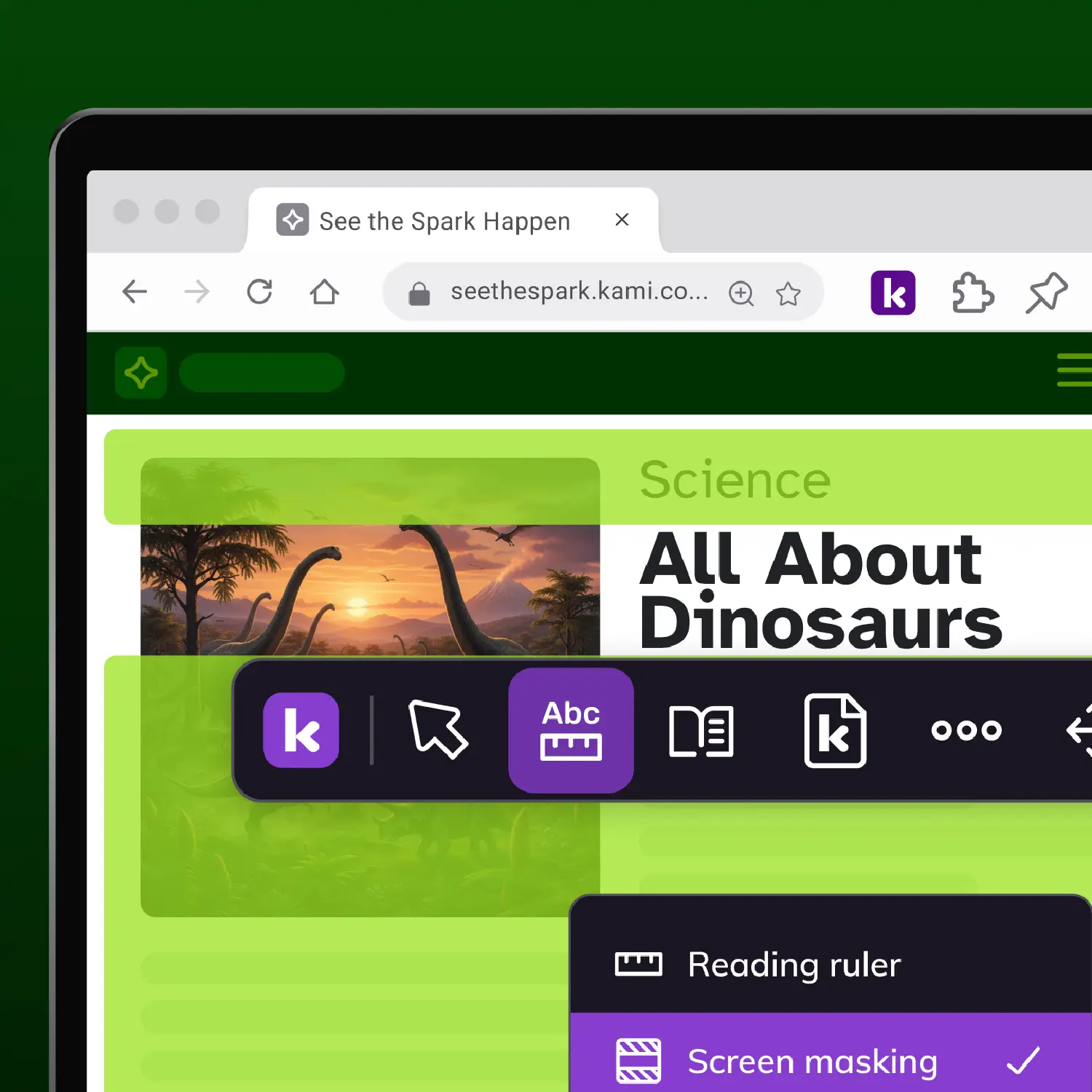
A screen masking accessibility tool with a reading ruler, across most webpages, regardless of structure.
Without Companion
Screen masking drops off the moment they leave the LMS. Visual overload returns mid-task.
Language-based learning disabilities, inquiry projects
What Companion provides
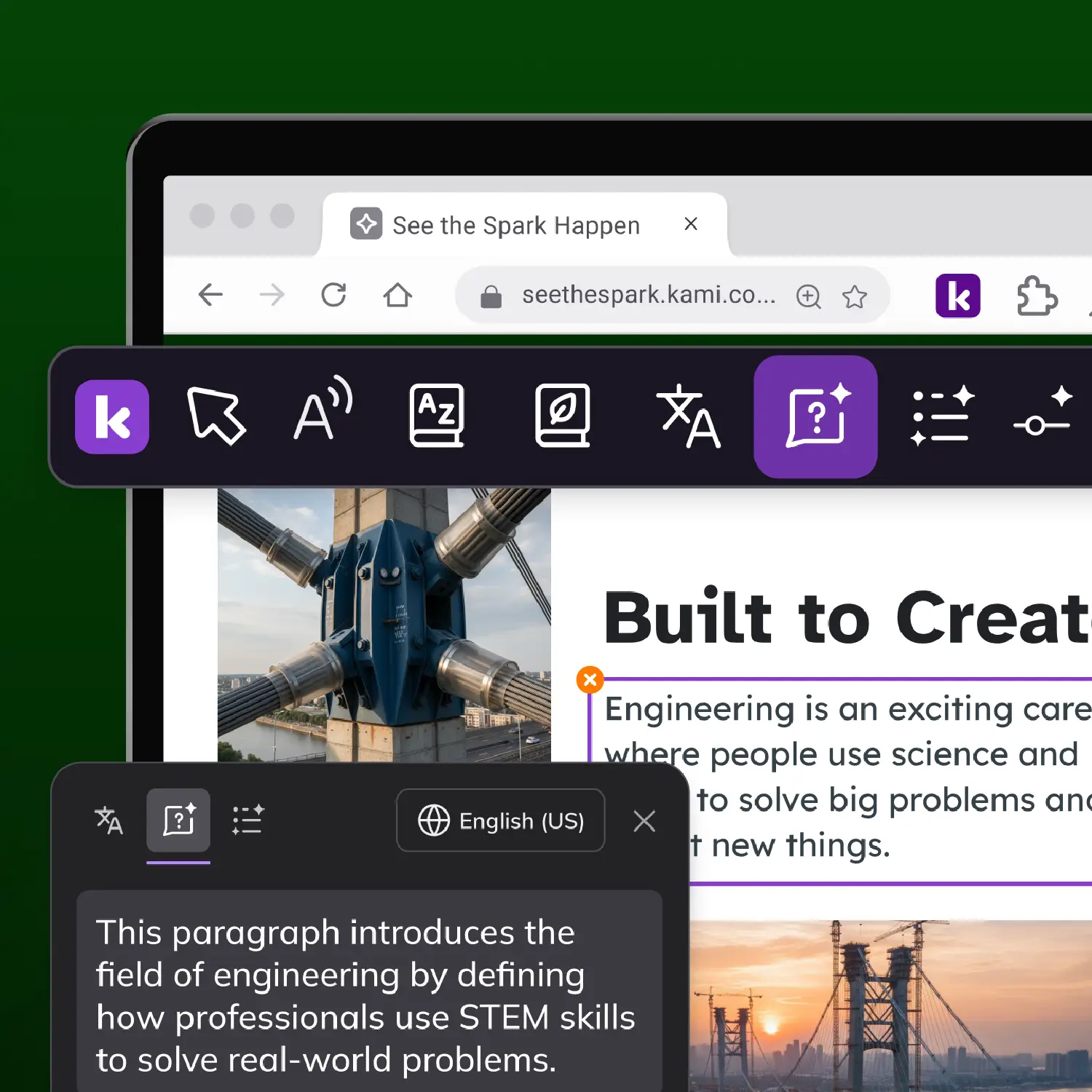
In-line vocabulary support and AI comprehension tools (Summarize, Explain, Adjust) across the open web.
Without Companion
Vocabulary support disappears exactly when academic density increases and it’s needed most.
Multilingual learners with IEP-documented accommodations
What Companion provides
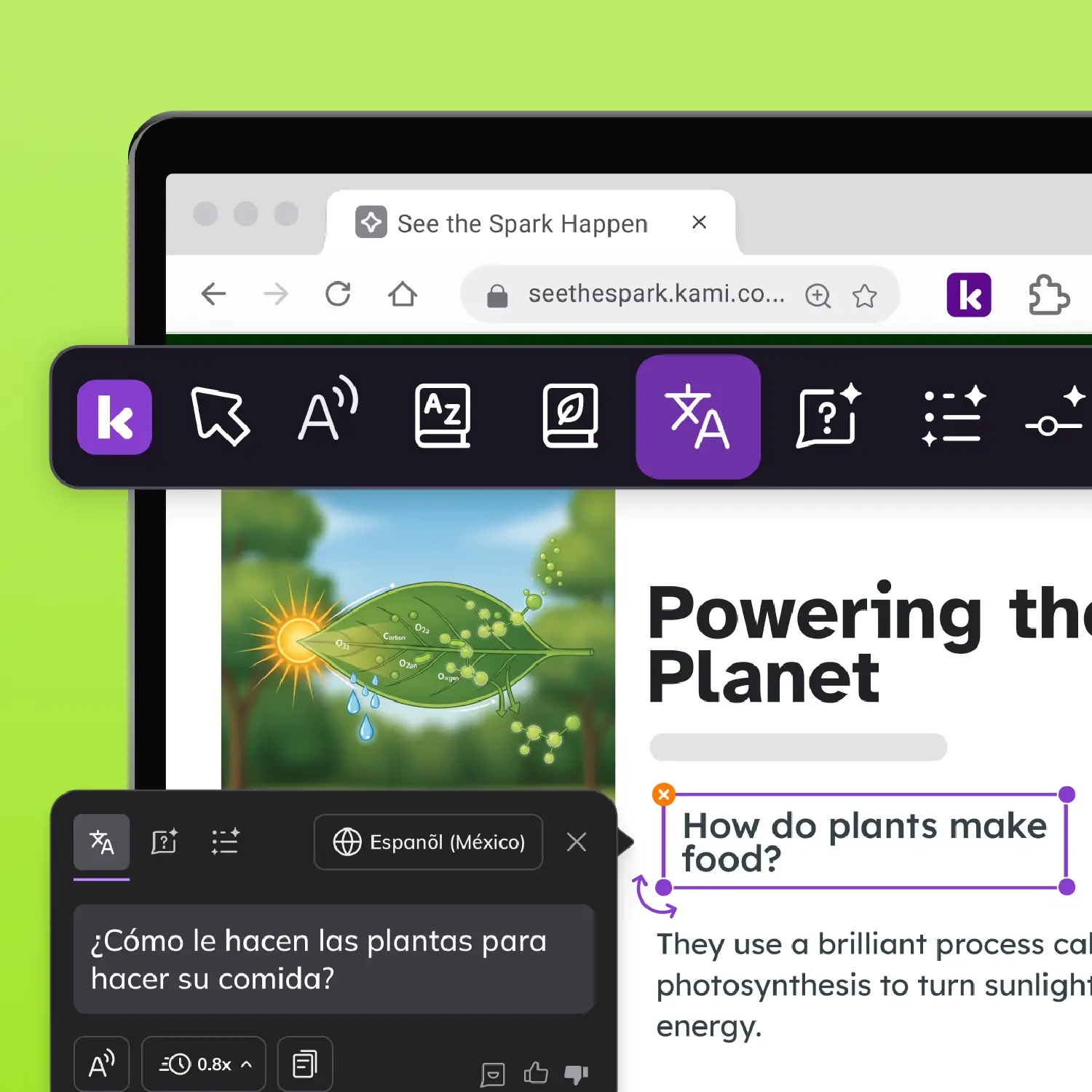
Assistive technology for multilingual learners: IEP-documented AT support plus text-to-speech and translation in over 100 languages, in one toolbar.
Without Companion
Most tools handle IEP support or multilingual learner support. Rarely both at once.
Voice typing users, open-web writing tasks
What Companion provides
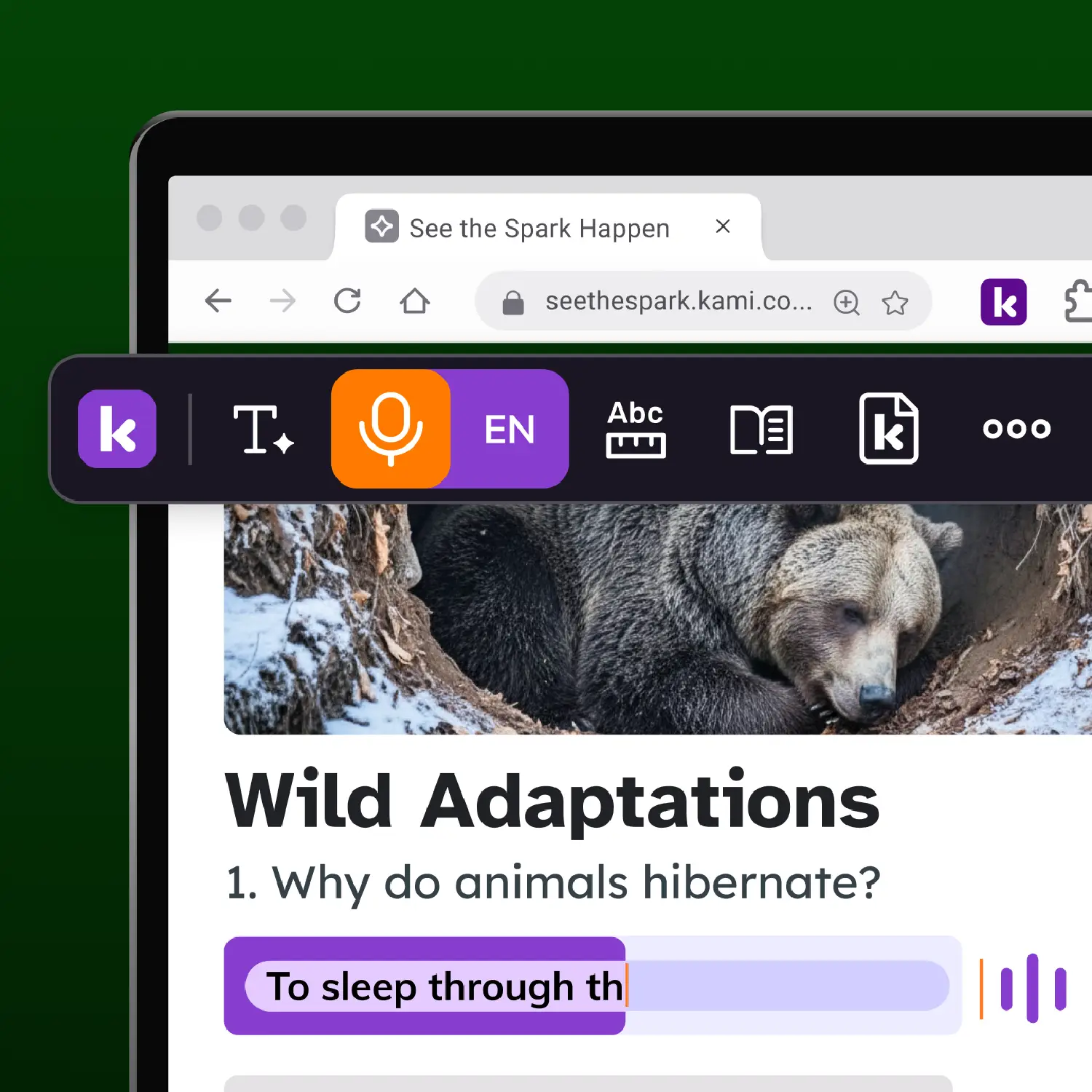
Voice typing in open-web text fields, forms, and LMS response boxes, with the strongest compatibility in Google Workspace.
Without Companion
Voice input breaks on third-party sites. The student reverts to typing or waits for adult support.
IDEA doesn't limit AT support to the LMS. Your tools shouldn't either
IDEA Part B requires AT support wherever students need it, not just in specific apps or document types. If an IEP-listed tool doesn’t provide consistent support on the open web, schools may need an additional solution. That’s where Kami Companion can help.
What it means for AT procurement
Are you ready for WCAG 2.1 AA?
Similar rules may also become part of AODA (Ontario) and the UK Public Sector Bodies Accessibility Regulations.
Kami Companion is aligned to WCAG 2.1 AA. Read our UDL white paper to learn more.
Explore Kami Companion tools
Reading and literacy support
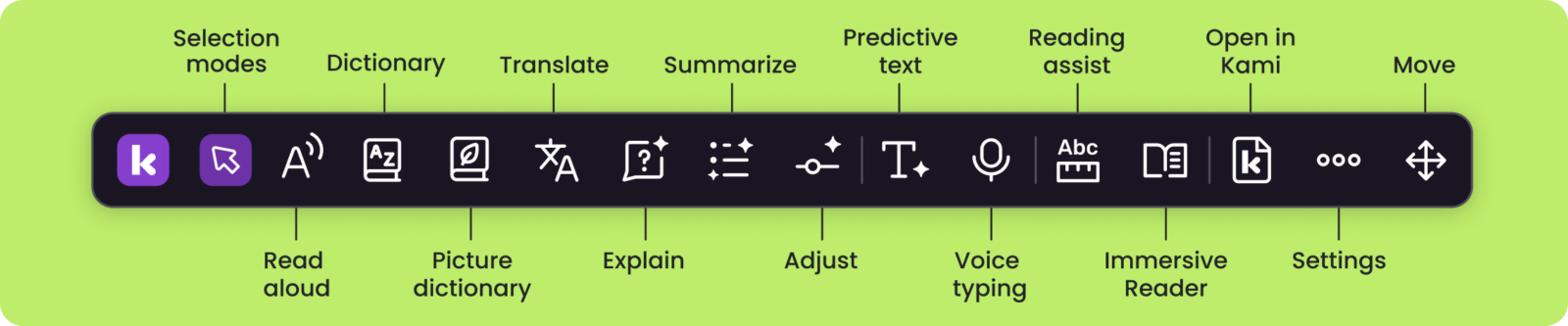
- Read aloud: Natural voices read any text aloud, with real-time highlighting and adjustable playback speed.
- Immersive Reader: Distraction-free layouts and grammar views help struggling readers stay focused and on track.
- Reading assist: Screen masking and reading rulers keep students focused, line by line.
Comprehension and vocabulary
- Dictionary & Picture dictionary: Access instant text and audio definitions and visual aids. Supports English and Spanish.
- Summarize*: Condenses any selected text, section or full document into a clear summary of the key ideas.
- Explain*: Get clear, contextual explanations for tricky text, charts, and diagrams.
- Adjust*: A simple slider that matches text complexity to every reading level.
*Uses Kami’s safer AI
Writing and expression
- Predictive text: Smart, grammar-aware suggestions with phonetic spelling support help every student write with confidence.
- Voice typing: Speak to turn thoughts into text in real time. Supports multiple languages.
Language and inclusion
- Translate: Instantly translate web-based resources into 100+ languages in text and audio. Copy translated text to use elsewhere.
- Open in Kami: Send any webpage to Kami to start annotating and collaborating.
The question that moves leadership conversation:
That's the question many schools are asking. Paired with trial data and ADA Title II requirements, the conversation shifts from buying a new tool to meeting student needs and compliance.
Connect with our sales team to see if Companion helps answer this question.
Resources for assistive technologists
Companion for MLL's
Kami is UDL Certified

Accessibility at scale
Common questions about
Kami Companion
Browse our FAQs below, or visit our Companion Help center for comprehensive guides and troubleshooting support.
Does Kami Companion replace the assistive technology already listed in a student's IEP?
No. Companion is designed to extend the kind of support IEPs already document, text-to-speech, screen masking, and vocabulary tools, to the open web, alongside whatever tools a student’s IEP currently names. Any change to documented AT should go through your IEP team’s normal review process.
Does Kami Companion work on every website?
Not every website. Companion is built to support reading, language, and comprehension tools across the open web, but some websites have technical structures that limit which tools can activate. We recommend testing Companion on the specific sites your students use during your trial, rather than assuming universal coverage. We are actively adding new sites and can work with you on specific use cases.
Is Kami Companion COPPA and FERPA compliant?
Kami Companion is fully compliant with COPPA, FERPA, SOPPA, SOPIPA, and SOC 2 Type 2.
Kami Companion is aligned to WCAG 2.1AA. You can read our VPAT self-certificate , accessibility conformance statement , or view our accessibility roadmap for more information.
Kami does not harvest or sell student data. We utilize AI with strict ethical commitment and responsibility.
See our Terms of Service and Privacy Policy for more.
How is Kami Companion funded under IDEA or Title IV-A?
Where Companion is documented as AT support in a student’s IEP, IDEA Part B can typically cover the cost. For district-wide deployment without an IEP requirement, Title IV-A (SSAE) funds are the more common path. Title III can apply for multilingual learner deployments. Confirm eligibility with your IDEA coordinator and legal counsel, since this depends on documentation and state-specific rules.
What is the difference between Kami App and Kami Companion?
Kami App is an instructional classroom product that turns everyday learning materials into interactive, collaborative learning experiences. It helps educators engage learners, support access, and capture authentic evidence of learning as it happens.
Kami Companion is a learning accessibility product that provides learners access, comprehension and expression scaffolds for internet-based learning.
How long is the trial, and how many students should I include?
A trial typically runs 30 days and is designed for a cohort of 5 to 10 students whose IEPs document TTS, screen masking, or vocabulary support, so your IEP team has real usage evidence within one review cycle. We offer Companion on a School or District license basis.
How do we deploy Kami Companion across our device fleet?
Companion deploys through the Google Admin Console for Chromebook fleets or Microsoft Intune for Windows and Edge fleets, using the same managed-extension workflow your IT team already uses. Most districts complete deployment in under 10 minutes.
Does Kami Companion support students with diverse learning needs such as an IEP or 504 plan?
Companion provides supports students with diverse learning needs may use, such as predictive text, read aloud, and adjustments for lexile reading levels.
Start with a small cohort of students
You don’t need a district-wide decision to start. Two weeks of trial data will tell you more than any comparison guide.
Book a 20-minute demo
Talk to our AT ExpertsWalk through Companion with your student profile in mind.