



Teachers, you’re busy enough. Forget spending hours at the printer or photocopier, only to redo the whole thing after spotting a typo or missing page.
Kami’s free Split and Merge tool is designed to help you quickly customize and combine PDFs, no printer required. Whether you need to trim pages, reorder a textbook, or combine multiple files, you can do it all in just a few clicks.
What is split and merge?
Split and Merge is one of Kami’s most popular and easy-to-use tools. It lets you:
- Remove content you don’t need
- Rearrange pages for better flow
- Combine several PDFs into one
- Rotate or delete individual pages
- Create new standalone files from selected content
And it doesn’t just come in handy when dealing with huge textbooks or PDFs; you can mix and match any resource, image, slide, or file to make something completely new for your classroom.
Better yet, it’s all free!
How to access the tool
There are three easy ways to open Split and Merge:
- Directly at https://tools.kamihq.com/merge
- From the dropdown menu in Kami (top right-hand corner)
- On the Kami start page (top navigation area)
Once you’re in, choose the file(s) you want to split or merge, either by dragging and dropping, or clicking the Google Drive or OneDrive link. This clever tool can take on almost all of the file types you’ll be using during your day-to-day!
How to use split and merge
Getting around the Split and Merge is easy! Once you know what to do, you’ll be chopping, changing, and completely recreating your resources and activity sheets in no time.
1. Split mode
After uploading your document, all the pages will appear on the screen. You can click and drag the pages to change the order of the original document, or, drag the ones you want into the row below to create a new, standalone PDF to export.
Here, you also have the chance to rotate any pages, expand the page to view, or delete any you no longer need!
Clicking Split pages allows you to create multiple new documents out of the row of pages you’re working on.
2. Merge mode
This function lets you combine extra pages, or even entire documents, to the original upload.
If you need to add more documents, toggle over to Merge mode at the top of the page. Then hit the red plus sign to add the files you need.
Once uploaded, toggle back over to Split mode to get crafting!
Top use cases for educators
This tool is a time-saver for any K12 teacher using PDFs in class. Great for:
- Creating modified worksheets for different reading levels
- Breaking a large e-book into weekly segments
- Combining unit assessments into a single file
- Updating daily warm-ups or exit tickets
- Personalizing learning packets for IEP or ELL students
Whether you teach in the US, UK, or New Zealand, Split and Merge helps you adapt content for every learner.
Watch: How to use Kami’s split and merge
Check out this short video walkthrough with Kami expert Marcus: learn how to split, merge, and export PDFs in just a few clicks.
Share your ideas or feedback
Have a creative use case or feature request for Split and Merge? We’d love to hear from you: support@kamiapp.com
Ready to customize your PDFs?
With Kami’s Split and Merge tool, you can effortlessly customize and combine your PDFs, creating Use Kami’s Split and Merge tool to streamline your resource creation process. Rearrange, trim, or combine files, all in your browser and 100% free.
Blogs you may also like
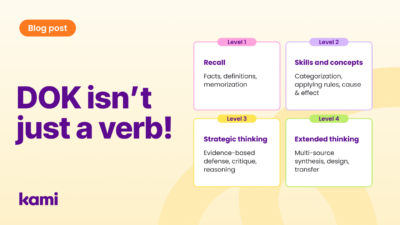
Demystifying Depth of Knowledge (DOK): A Practical Guide for Teachers

How to deepen student thinking with the Cycle of Learning

Digital citizenship in schools: screen value over screen time