


What does checking for understanding look like during independent work?
Checking for understanding means noticing student thinking while it is still forming, while students are still working. During independent work, this means finding a misconception early, instead of discovering it after their exit ticket, as they walk out your classroom door.
Checking for understanding means noticing student thinking while it is still forming, while students are still working. During independent work, this means finding a misconception early, instead of discovering it after their exit ticket, as they walk out your classroom door..
In practice, that looks like noticing stalled work, repeated misconceptions, or quiet disengagement, early enough to step in without calling attention to a student.
Why do quiet students get missed?
A student sits quietly, cursor blinking, looking completely on task. Twenty minutes later, you collect the work and find the same misunderstanding repeated across every question. They lost the thread early, said nothing, and kept going.
And they’re not alone. Research shows that children as young as seven already connect asking for help with looking incompetent in front of their peers. By the time they’re in middle or high school, that instinct is well-established. They keep their head down, find something to look busy enough not to be singled out. Raising a hand means broadcasting to the whole class that they don’t understand.
Bohns and Flynn’s research (“Why Didn’t You Just Ask?” Journal of Experimental Social Psychology, 2010) puts a name to what teachers are up against: helpers consistently underestimate how much embarrassment drives a student’s decision not to ask and so they overestimate how often students will speak up. The student who doesn’t ask isn’t fine. They’ve decided that staying quiet costs less than the discomfort of asking.
Why does the timing of feedback matter so much?
Feedback is most actionable when it reaches a student before a misunderstanding has been practiced over and over.
John Hattie and Helen Timperley’s review of feedback research found that feedback works best when it catches a misunderstanding while a student is still working through a problem. Once the work is done and the mistake has been practiced repeatedly, feedback becomes harder to act on. Seeing the work in real time is what makes that possible.
You can catch a student drifting in the wrong direction in the first five minutes and redirect them before they spend the rest of the lesson practicing the wrong thing.
Student visibility vs. classroom monitoring: what’s the difference?
Student visibility is one of those terms that means different things depending on who’s using it.
- Device-management tools answer: Is this student on the right screen?
- Student visibility tools answer: Does this student understand what they’re working on — right now?
The distinction matters because the problem most teachers are trying to solve during independent work isn’t distraction. It’s the quiet student who looks on task but isn’t. Device monitoring can’t show you that. Seeing the work itself, as it’s being written, can.
How Class View helps you check for understanding
If you use Book Creator, Class View can give you that same live window into student work. This matters most during open-ended creation projects, where “looking busy” can hide confusion just as easily as a worksheet. Real-time visibility helps you spot stuck moments early and respond with targeted, quiet support while students are still creating.
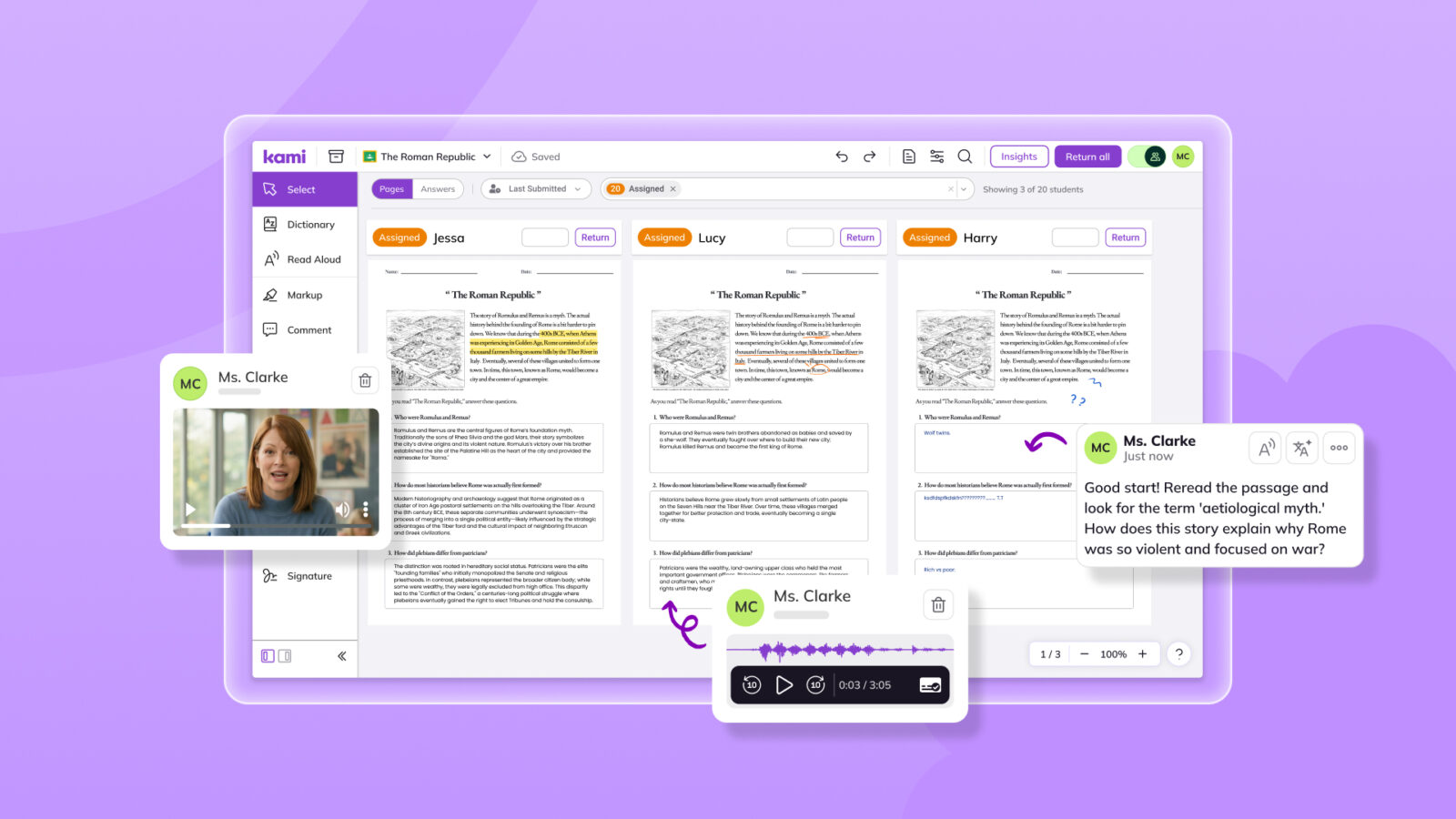
When students open a Kami or Book Creator assignment, every student’s document appears in Class View as a live thumbnail, updating in real time as they write, annotate, and respond.
From one screen, you can see:
- Who is moving through the task with confidence: consistent progress, work developing
- Who has stalled: no new activity, page unchanged, possibly off task
- Who may be heading in the wrong direction early enough to redirect before it compounds
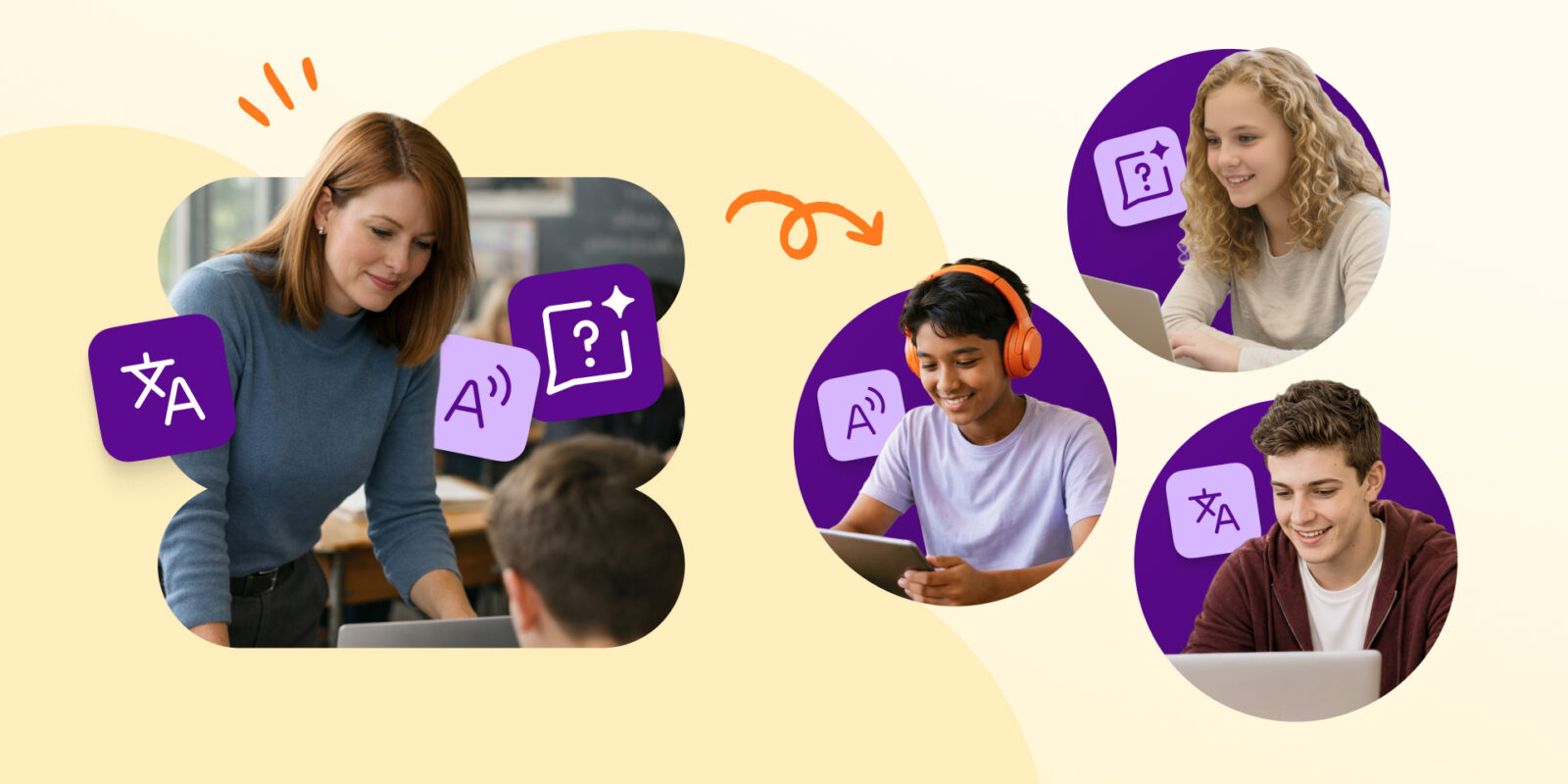
Zoom into any student’s document and you can see their live work. Leave a comment, add a video, ask a clarifying question, directly on what they’re doing, right now. The student sees your feedback directly on their work, in real time. No interruption, no hand raised, no one else in the room aware anything happened.
For Hallet Montgomery, that last part mattered more than she expected. One of her students arrived needing support but made one thing clear — she didn’t want to be singled out or seen to receive special treatment other students weren’t getting. Class View meant Hallet could give her exactly what she needed, quietly, without drawing any attention.
“When I introduced her to Kami, I swear to God it was like the lights came on in her eyes for the very first time.”
Book Creator also has Class View
If your students create in Book Creator, Book Creator has its own Class View. It shows every book and every page in your library in a single scrolling view, with thumbnails that refresh every few minutes so you can see where students are making edits.
While a student is actively working on a page, their name appears on it, so you can see who’s working on what without opening a single book. Sort and filter let you review one assignment at a time or look across students by name. Click any page thumbnail to jump into the editor and leave a comment or interact directly with what the student has made, including audio and video elements.
Read more about Book Creator’s Class View feature here
How do you spot whole-class misunderstandings, not just individual students?
Sometimes the question isn’t “Who is stuck?” It’s “Is the whole class missing something?”
Class View’s Insights gives you a real-time picture of whole-class performance: class averages, score distributions, and a breakdown of where students are clustering. If you’re using Kami Questions AI, the Assignment Analysis tab goes further. It shows how students performed on each individual question: what was answered correctly, what wasn’t, and how many students completed it.
When most students miss the same question, you can see it immediately. That helps you decide whether the issue is wording, a concept to revisit, or task design to adjust for next time.
Returning grades without the extra steps
Class View lets you grade directly inside the platform. When you’re ready, returning grades is one click: feedback goes to students immediately, and scores sync automatically to Google Classroom, Canvas, or Schoology.
Hallet Montgomery teaches adult learners working toward their GED. She describes the difference:
“I no longer have a mountain of papers to grade. I don’t have to grade papers anymore because Kami does that for me. And my students don’t have to wait for a score. They see the score immediately.”
Three habits of teachers who use real-time visibility well
Most teachers already give feedback. The harder part is knowing who needs it before the lesson moves on, and before 20 minutes of quiet practice has locked in the wrong approach. Student visibility is only useful if it changes what you do during the lesson.
1. Open Class View at the start of independent work
The first few minutes are when confusion is cheapest to fix. A student who hasn’t started yet needs different support than one who has spent 15 minutes going in the wrong direction.
Getting into the habit of opening Class View the moment independent work begins means you catch both, the blank page and the wrong path, while there’s still time.
2. Scan for stillness first
Movement on the page is a signal. So is the absence of it.
Before you look at content, look at activity. A thumbnail that hasn’t changed in five minutes is the first thing worth investigating — not because the student is definitely stuck, but because stillness is often where the real struggle hides. The student who is visibly lost will sometimes raise a hand. The student who is quietly disengaged, or quietly confused, won’t.
Stillness-first scanning reframes how you move around the room too. Instead of gravitating toward the students who call out or wave you over, you start with the ones who haven’t moved. That’s often where the need is highest.
3. Give feedback on the work itself
When feedback lands exactly where the student is already looking, on the document they’re working on, not in a separate message or across the room, there’s less friction for them to receive it and act on it. No screen switching, no broken concentration. A comment on the work is closer to a quiet tap on the shoulder than an announcement.
The question that matters most
Much of the classroom visibility conversation centers on control — blocking websites, locking devices, keeping students on task. Those are legitimate concerns. But they answer a different question than the one most teachers carry into every lesson.
The question isn’t “Is this student on the right screen?”
It’s “Does this student understand what they’re working on?”
The teachers who see the most during independent work are usually the ones who stopped waiting for students to tell them something was wrong. They found a way to see it themselves.
Student visibility isn’t about control. It’s about understanding.
Curious what this looks like in your classroom? Book a demo
FAQ
Is real-time student visibility the same as classroom monitoring?
Not quite. Classroom monitoring focuses on whether students are on task or on the right site. Real-time student visibility focuses on student understanding by showing the work itself as it develops.
What should teachers look for when checking for understanding during independent work?
Look for stillness, repeated misconceptions, or students who are writing a lot but heading in the wrong direction. Those are the moments where real-time feedback can prevent a small misunderstanding from becoming a finished assignment.
How to check for understanding without interrupting students?
When feedback lands directly on the work, like a comment or clarifying question left directly on a student’s live document, students can act on it without raising a hand or pausing the room. They can even reply right there, so you can help in the moment instead of waiting until the next check-in. A quick example can be enough to get learning moving again
How does Class View support formative assessment and checking for understanding?
Class View lets you see student responses as they happen, so you can spot patterns across the class and respond early. That supports formative assessment by turning independent work into actionable insight, not a “wait until it’s submitted” moment.
What Kami products have Class View?
Both Kami App and Book Creator have Class View available.
Blogs you may also like
Your March Classroom Activities, Planned


Summer Reading Resources: Journals, Author Studies, and More
An Educator’s Journey with Kami