


Back-to-school season is when teachers do the most important, and most invisible, work of the year: setting up systems that make learning run smoother once the classroom gets busy. Getting started with Book Creator for back to school is one of the simplest systems to set up, if you know where to begin.
If last year felt like a juggling act of logins, links, files, and “where did that assignment go,” you’re not alone. The hardest part usually isn’t choosing a tool. It’s building a workflow simple enough to repeat and flexible enough to work across subjects, grades, and student needs.
Book Creator is built for that exact moment. It gives students one place to create and share learning, and it gives you practical ways to manage the process, not just the final product.
Below is a getting-started path you can follow in one sitting, then build on over the first few weeks of school.
For tech coaches: this same path is the fastest way to run a champion cohort. Help a small group get set up, run one simple creation task, and gather examples. A few strong student artifacts do more for adoption than a long feature tour
1. Start with the simplest win: create a free account
The fastest way to build momentum is to choose one workflow you can run immediately. Book Creator makes that easy, since you can create a free account and start making books right away.
Create your free Book Creator account
Once you’re signed in, Welcome to Book Creator for Teachers is a four-step onboarding book that walks you through why to use Book Creator and how to sign up, learn, and start teaching with it, all in one sitting.
Aim for a first-week use case that:
- Works in any subject
- Gives students clear success criteria
- Produces something you can assess or celebrate quickly
In Book Creator, that might look like:
- An “All About Me” digital book
- A reading response journal, text, audio, or video
- A beginning-of-year science notebook
- A classroom expectations book co-authored by students
- A first entry in a student portfolio, if you’re building toward one this year
For more ready-to-remix ideas by grade band, see our back to school activities for elementary students and back to school activities for secondary students roundups.
What’s new and helpful this year: the updated book creation flow makes it faster to move from a blank page to students building something real. That matters in week one, when reducing setup time is most of the battle.
Once your account and first use case are set, Teach Your First Lesson: Teacher Guide has grade-by-grade lesson plans, kindergarten through grade 12, for running that first lesson: logging in, joining a library, recording audio, using the pen tool.
2. Build confidence and consistency with certification
In the first days of school, the goal isn’t to master every feature. It’s to get everyone accessing the work, completing Once the basics are in place, the next step is confidence. Not “I watched a tutorial once” confidence, but “I can run this again next week” confidence.
Book Creator certification lives inside the app itself, so you can work through it without leaving the tool. It gives you a structured, practical path to learn the platform in an order that matches classroom reality: create, assign, support students, and share finished work.
You can see the full Kami Educator certification lineup, including Book Creator, Kami App, and Kami Companion, at Get Kami certified.
The goal isn’t to become an expert. It’s a consistent floor of confidence, so Book Creator becomes a reliable option you reach for when learning needs to be visible, accessible, and student-created.
For tech coaches: certification doubles as a rollout strategy. Identify a cohort of early adopters, a grade team, a department, or a building, encourage certification as a shared baseline, and use the common language from the course when you’re coaching or troubleshooting. Admins can also request certification completion in the admin dashboard. For more on sequencing a rollout like this, we wrote a full guide on rolling out edtech.
3. Find classroom-ready ideas: the Kami Learning Center
When you’re planning, you’re usually not searching for features. You’re searching for classroom answers: what does this look like with second grade writers, how do I manage feedback without adding hours to my week, what does a strong student example actually look like?
That’s why we built the Kami Learning Center, a place to learn through real use. In the Kami Learning Center, you’ll find in-depth video walkthroughs and an archive of webinars that surface classroom ideas, not just tool instructions.
The Kami Learning Center is a strong “week two and week three” resource. After your first quick win, go deeper with videos that match what you’re trying to do next.
Go deeper with the Book Creator playlist
If you’d rather skip straight to the content built for Book Creator, the Book Creator playlist pulls together how-to videos and classroom ideas for this product specifically, so you’re not sorting through Kami App or Companion content to find what applies to you.
4. Make it repeatable: the PD guide and LMS workflows
Getting started is only half the challenge if you’re supporting more than your own classroom. The other half is a workflow that scales without becoming fragile.
The PD guide
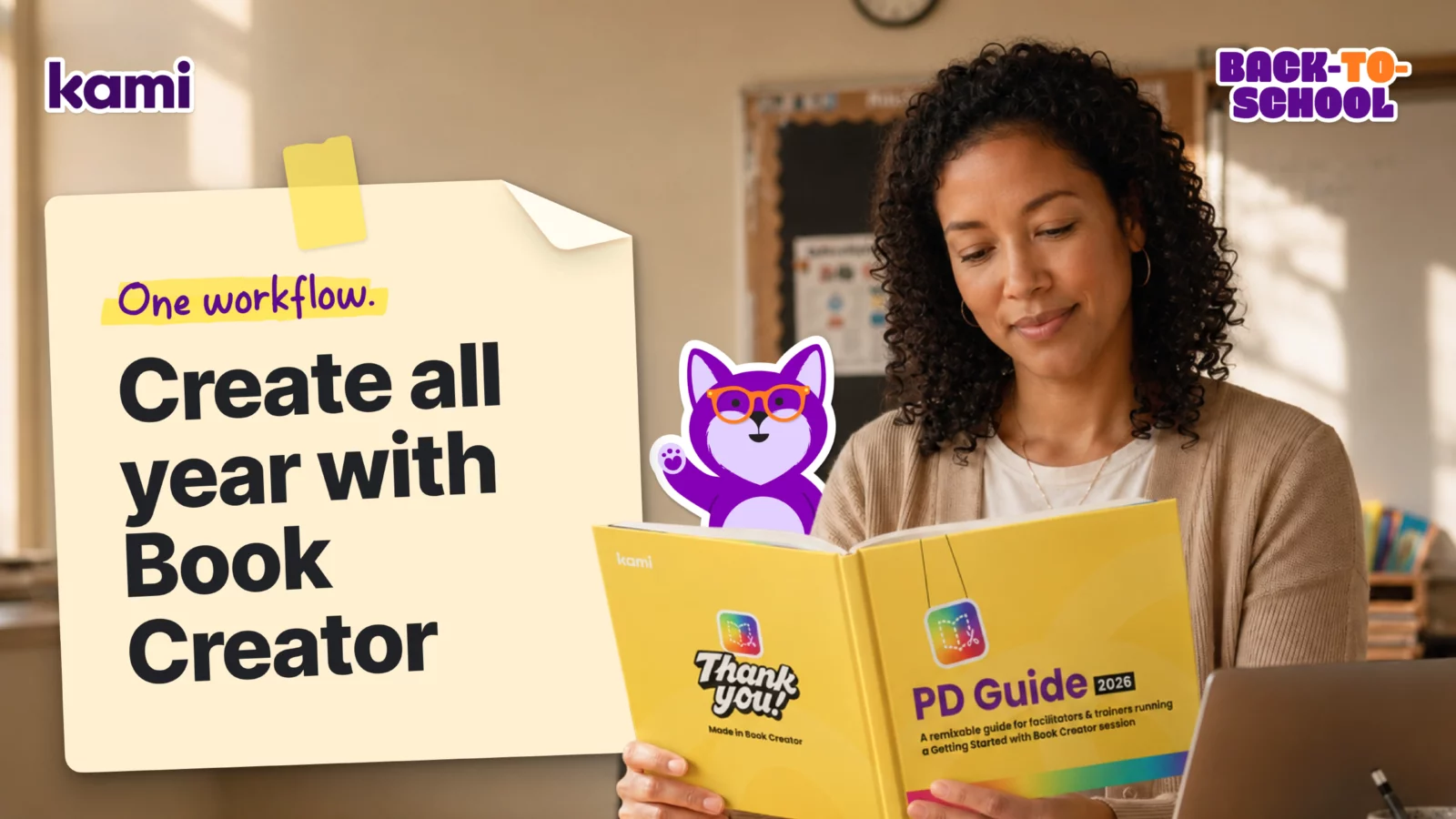
The Book Creator PD Guide is a remixable book you can copy, adapt, and use, whether you’re running a training session or just want a structured way to learn Book Creator on your own. If you’re motivated and want a clear plan, it gives you structure without adding pressure. It also fits the kind of short, just-in-time PD that Edutopia has found sticks better than a single long training day, since you can work through one section right before you need it.
If your first session focuses on a specific population, two companion training agendas pair well with the general guide:
- Getting Started with Book Creator: Accessibility, covering alt text, closed captioning, keyboard navigation, and more
- Getting Started: Multilingual Learners, covering translation, translated comments, and speech to text in more than 120 languages
For the population-specific side of accessibility, Inclusive Teaching with Book Creator and the IEP Meeting Guide for Families are worth having on hand for students with disabilities and the families navigating IEP (individualized education program) meetings this fall.
For tech coaches: the PD guide isn’t locked to one format. Use it as a facilitation guide for a short session, assign one section as a weekly “try it in your classroom” challenge, or build a self-paced pathway for new hires. Update it once and keep improving it based on what teachers ask for, instead of reinventing training every year.
LMS workflows
A workflow fails when it adds steps you can’t sustain. That’s why lining up with your learning management system (LMS) matters. Book Creator fits into common LMS routines: posting assignments, collecting student work, sharing links and resources, supporting feedback and iteration.
Guidance for the three most common systems:
What’s new this year: an updated Google Classroom integration makes it easier to connect Book Creator into a Google Classroom-based routine.
What’s changed in the past year, and why it matters for back to school
Small improvements can have an outsized impact once school gets busy. These are worth knowing about:
- Class View: helps you see progress while students create, so support stays timely and practical. See it in action.
- Discover Library is now searchable: makes it easier to find examples and templates to remix for an upcoming unit. See it in action.
- Updated book creation flow: helps more students start successfully, especially in the first month of school.
- Google Classroom integration: fits Book Creator into your existing routine without extra steps. See it in action.
Join the Kami community
Back to school is easier when you don’t have to solve everything alone. The Kami educator community is a place to trade practical classroom ideas, see how other teachers are using Book Creator, and get answers when you’re trying something new instead of troubleshooting it by yourself.
If your team prefers something more casual, Kami’s educator Facebook group covers similar ground in a lighter-weight format.
A simple back-to-school rollout plan
A straightforward way to sequence this without overwhelming yourself, or your staff — using GROW to keep each week’s focus clear:
- Week 1: Go. Create a free account, run one short creation activity, low stakes and high clarity, and collect 2-3 examples of student work.
- Week 2: Reinforce. Begin Book Creator certification, and use the searchable Discover Library to find one remixable example tied to an upcoming unit.
-
- Week 3: Own it. Use the Kami Learning Center to go deeper with one targeted video, and watch one webinar to gather classroom ideas.
-
- Week 4: Widen. Introduce the remixable PD guide as your shared learning resource, and standardize one LMS workflow, Canvas, Schoology, or Google Classroom.
The throughline isn’t learn everything. It’s build one workflow you can repeat without extra effort.
Blogs you may also like
Your March Classroom Activities, Planned

Summer Reading Resources: Journals, Author Studies, and More
April Classroom Resources: End-of-Year Energy That Actually Inspires