

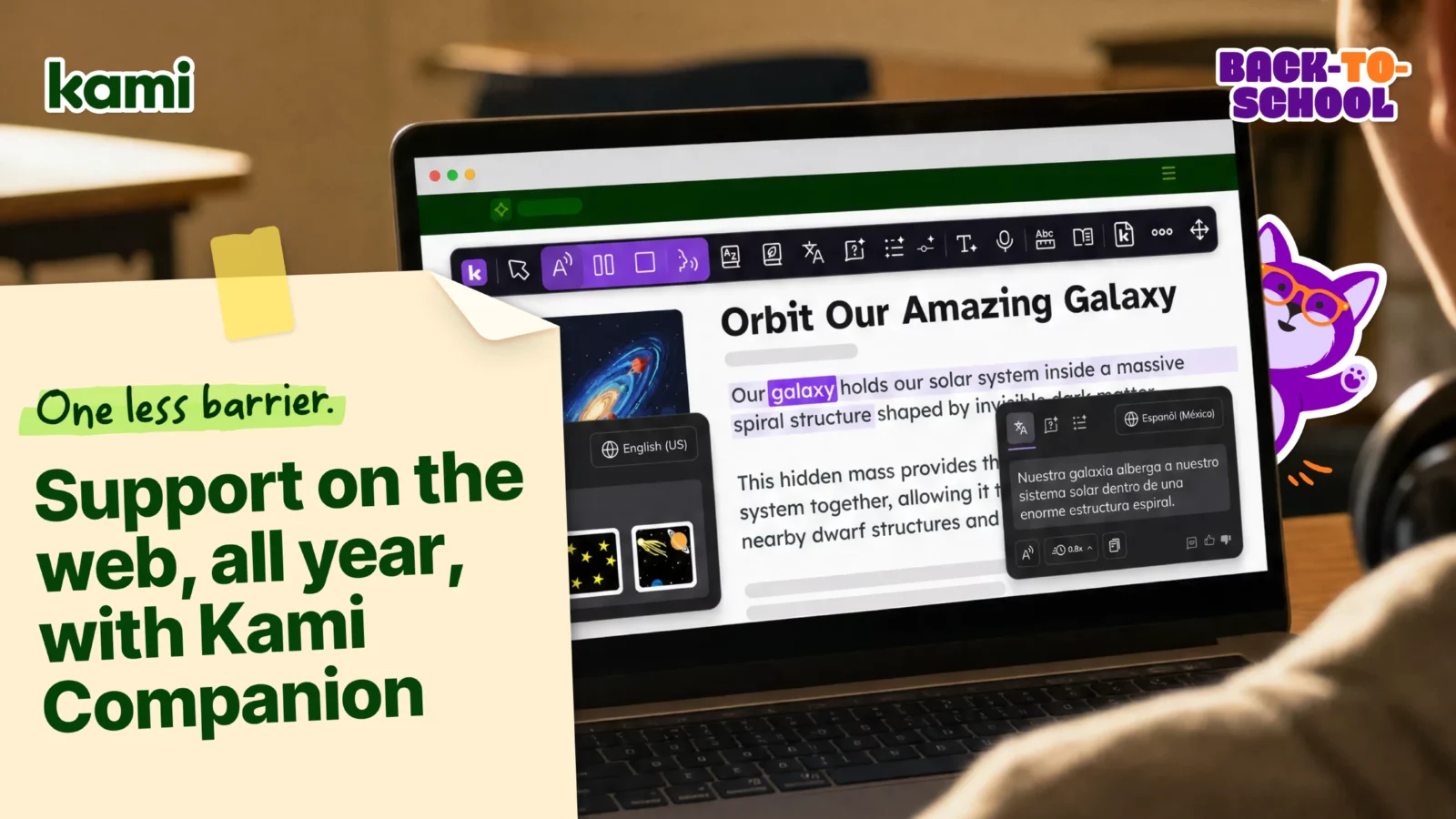

A student pulls up today’s reading, and you can already tell how this goes. Three paragraphs in, they’ll stall out, not because the ideas are too hard, but because the page in front of them is a wall of dense text with no support built in. That’s the exact moment Kami Companion is built for, and getting started with Kami Companion for back to school starts with understanding what it actually does in your classroom.
Kami Companion is an accessibility browser extension that removes barriers to web-based learning, giving students built-in supports for access, comprehension, and expression on the same page they’re already looking at. If your school already has it, this post is about using it well from day one. If you don’t have it yet, skip to the last section for how to get your team access.
What Companion actually does in your classroom
Once the extension is installed, click the Kami “K” and select Show Companion. The toolbar appears, giving instant access to tools like read aloud, translation, and voice typing, right on top of whatever a student is already reading.
Pin the extension to the browser toolbar so it stays visible instead of getting buried in the extensions menu. A tool students can’t find is a tool students won’t use.
This is the part that actually shows up in your classroom. A student who struggled to get through a dense web article last spring can have it read aloud this fall, without a separate login, a separate app, or a referral just to access grade-level content. That’s the whole point: getting from “the school has this tool” to “a student used it today” as fast as possible.
Get certified, then make it a habit
Tools only create impact when people know how to use them in real classroom workflows. Certification is the fastest path from installed to actually used.
Complete the new Kami Companion certification course in MobileMind, then invite your fellow teacher leaders, coaches, and support staff to do the same. As you move through the course, the challenge cards are the do-it-not-just-watch-it moment: a clear, low-lift way to practice the tools immediately, using realistic classroom scenarios. That builds shared language across your team, cuts down on first-week friction when a student needs support in the moment, and turns this into a routine instead of a one-off demo.
Once certification is underway, the Kami Learning Center is where you can keep learning between sessions, with short videos specific to Companion alongside Kami App and Book Creator.
Go deeper with the Companion playlist
If you’d rather skip straight to the content built for Companion, the Kami Companion playlist pulls together how-to videos and classroom ideas for this product specifically, so you’re not sorting through Kami App or Book Creator content to find what applies to you.
Know when to reach for it: Companion, Kami App, and Book Creator
This comes up often once more than one Kami product is in your building, so it’s worth having a clear answer ready:
- Kami Companion supports access, comprehension, and expression across web-based content. If a web article, online program, or digital curriculum resource needs to be more accessible right now, that’s Companion.
- Kami App turns learning materials into interactive, collaborative learning experiences. If you’re building an assignment, collecting student work, or capturing evidence of learning, that’s the Kami App.
- Book Creator gives students a way to create original work: books, portfolios, projects. If a student is building something themselves rather than reading something online, that’s usually a Book Creator question, not a Companion one.
- Kami Coach is our newest product currently in beta. This AI-powered math coach allows you to see student thinking process and allows students to get unstuck.
If you’re setting up Kami App or Book Creator for the first time too, Getting started with Kami for back to school and Getting started with Book Creator for back to school walk through the same kind of day-one setup as this post.
Why this matters beyond your classroom
As more learning moves to the web, accessibility expectations are rising. In the US, updated ADA (Americans with Disabilities Act) Title II web accessibility requirements take effect April 26, 2027, for public school districts serving 50,000 or more residents, and April 26, 2028, for smaller districts. Kami Companion already meets WCAG (Web Content Accessibility Guidelines) 2.1 AA, ahead of that deadline, so adopting it now gets your district in front of a requirement rather than scrambling to meet it later.
Compliance is one argument for using Companion consistently. Instructional design is the other. Kami’s white paper on Universal Design for Learning (UDL) breaks down how Companion’s built-in supports map to each UDL principle, engagement, representation, and action and expression, which is useful to have on hand when the conversation is about pedagogy rather than compliance dates. CAST’s official UDL Guidelines are worth bookmarking alongside it if you want the source framework Companion’s supports are built around.
If your school doesn’t have Companion yet
Kami Companion is a district tool, so access is typically set up at the school or district level rather than by an individual teacher. If you want it in your building, here’s how that usually goes, and it’s worth sharing with your tech coach or IT team if they’re the ones who’ll drive it.
Getting access. A sales contact can confirm the right licensing model, align on rollout timing, and make sure the right stakeholders are included early: IT, special education, multilingual learner support, curriculum, and teaching and learning.
Installing it. Companion works on Google Chrome and Microsoft Edge. Installation is usually managed centrally by district IT, which can deploy the our private extension at scale using Google Admin Console, alongside distributing licenses so the right staff and students have access.
Privacy and security. These questions come up early in any rollout. Kami Companion is compliant with COPPA, FERPA, SOPPA, SOPIPA, and SOC 2 Type 2, and Kami does not harvest or sell student data.
A simple getting started with Kami Companion plan
A straightforward way to build the habit without losing a week to setup — using GROW to keep each week’s focus clear:
- Week 1: Go. Install the extension, pin it to your browser toolbar so it’s easy to find, and click the Kami “K” to Show Companion on one page a student is already reading today.
- Week 2: Reinforce. Complete the Kami Companion certification course in MobileMind, and work through the challenge cards so the tools stick in realistic classroom scenarios, not just in the course.
- Week 3: Own it. Go deeper with the Kami Companion playlist and the Companion-specific videos in the Kami Learning Center.
- Week 4: Widen. Get clear on when to reach for Companion versus Kami App, Book Creator, or Coach, and bring your certified teacher leaders into the Kami community so the habit spreads past your own classroom.
The throughline isn’t learning every tool in the toolbar. It’s using Companion with one student who needed it today, then making that the default instead of the exception.
Blogs you may also like
Your March Classroom Activities, Planned


Summer Reading Resources: Journals, Author Studies, and More
April Classroom Resources: End-of-Year Energy That Actually Inspires