
Looking for a Google Forms alternative?
Kami vs. Google Forms
Kami App vs. Google Forms
Turn the worksheets you already have into graded assessments.
Google Forms collects answers. Using our Questions AI tool, Kami App turns your teachers’ worksheets, PDFs, and assignments into accessible, auto-graded assessments. We also provide you with the compliance documentation your district needs to approve it.
Choosing between Kami and Google Forms
Here’s our take on Kami as an alternative to Google Forms.
Kami App
Google Forms
Why it matters
Kami App in classrooms
Proof and impact
+4
Percentile points
STAAR Reading, associated with daily Kami App use
+8
Percentile points
STAAR Reading for multilingual learners
92%
of US K-12
public schools have active Kami users
94%
of Kami teachers
report improved student engagement
CAST UDL
Product Certification
Independently certified to Universal Design for Learning standards

ISTE Seal
Seal of Alignment as a ‘Platform’ tool
Kami makes learning materials more engaging
See what Kami can do for your district
Discover how Kami can enhance learning experiences and drive measurable success at scale and at speed, across schools and districts.

Where Kami App has the advantage
If you’re evaluating tools for your program, these are the areas where Kami App has an advantage over Google Forms.
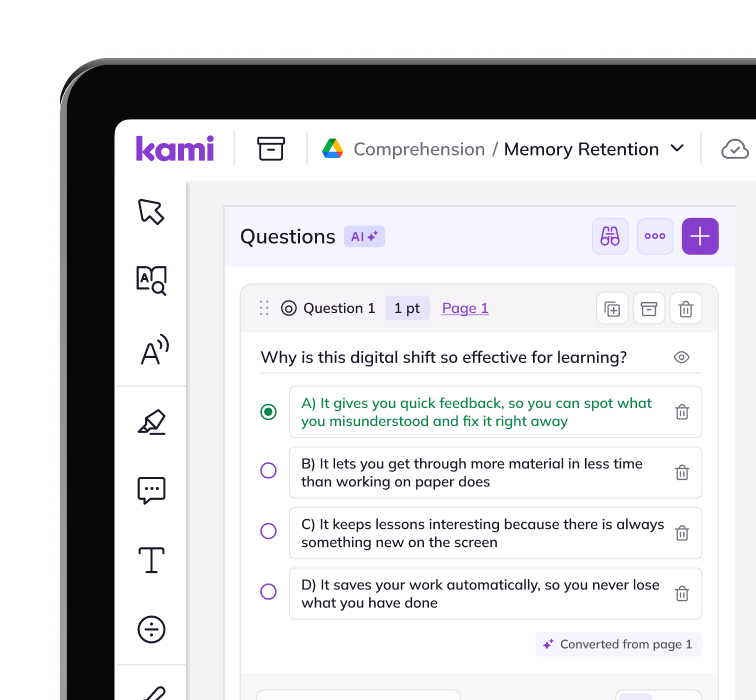
Start with what teachers already have
Kami converts an existing worksheet, PDF, or document into graded questions. Google Forms starts blank, every time.
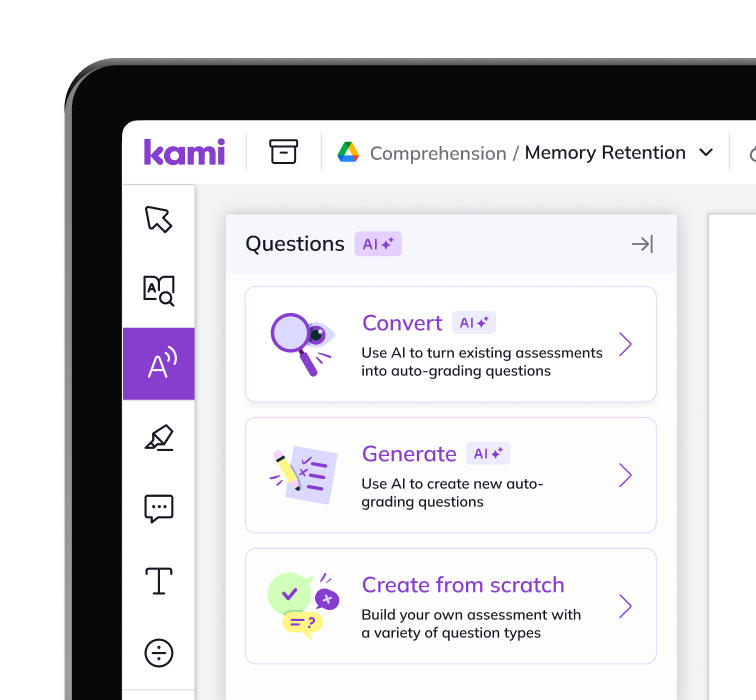
Show understanding, not just answers
Kami generates questions at different Depth of Knowledge levels. Partial-match grading also helps teachers see more in students’ short answers than a Google Forms answer key can.
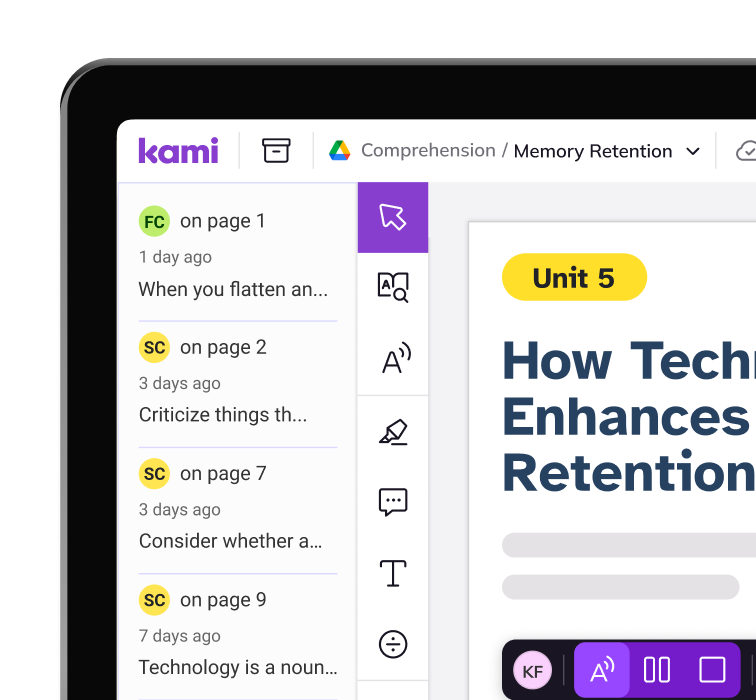
One tool, not a workaround
Teachers can annotate, grade, and review in the same place they already use for instruction. There’s no separate login or export to Google Sheets required.
Frequently Asked Questions about Kami App vs Google Forms
Is Kami a replacement for Google Forms?
For assessment and feedback, yes. Kami’s Questions AI creates auto-graded quizzes and checks for understanding. Teachers can build them directly from materials they already use.
Can Kami auto-grade the same way Google Forms does?
Kami auto-grades single-answer, multiple-answer, and short-answer questions. It also supports partial matches for short answers. Teachers can review and adjust results in Class View before returning work.
Does Kami work with our LMS?
Kami App integrates with Google Classroom, Schoology, Canvas, Microsoft Teams, and D2L Brightspace.
Does switching from Google Forms mean retraining teachers from scratch?
No. Kami works with the PDFs, worksheets, and documents teachers already use. They can convert existing materials instead of learning a new form-builder from scratch.
What accessibility and compliance documentation does Kami provide?
Kami App has a WCAG 2.1 AA Conformance Letter and an ACR/VPAT. It also holds the ISTE Seal of Alignment and CAST’s UDL Product Certification. Its privacy credentials include the Common Sense Privacy Seal and 1EdTech Data Privacy Certification. Full documentation is available through the Security Hub.
Product information, features, and pricing for Google Forms are based on publicly available information as of October 2026 and are subject to change without notice. Kami is not affiliated with, endorsed by, or sponsored by Google for Education, the maker of Google Forms. All trademarks, product names, and company names are the property of their respective owners. We’ve made every effort to ensure accuracy, if you spot something outdated, let us know at marketing@kamiapp.com.
See what your worksheets can become