
Your curriculum isn’t the problem. Your worksheets are.
Kami App vs. Mote PDF
Kami App vs. Mote PDF
Mote PDF checks each PDF a teacher opens, runs OCR on scans, and adds reading and marking tools. Mote states that more than 2 million students and educators use its tools.
Kami App starts from the same kind of worksheet and adds what district leaders usually ask about next: questions, a live view of student work, grading, and LMS sync.
This page puts the two side by side.
Starting with a PDF
What happens when a teacher opens a PDF worksheet?
Kami App
Mote PDF
Why it matters
Reading and language supports
What can a student do with the text once it’s open?
Kami App
Mote PDF
Why it matters
From worksheet to class work
Once students respond, what can the teacher see and do?
Kami App
Mote PDF
Why it matters
Rollout and administration
What does it take to put this in front of a district?
Kami App
Mote PDF
Why it matters
Accessibility documents and privacy
What documentation can your review team request?
Kami App
Mote PDF
Why it matters
Who wins?
Mote PDF leads where the first need is the file itself. It states that it checks each PDF, runs OCR on scans, and tags rebuilt documents to the PDF/UA standard. It also lists CSV bulk upload and domain allow-listing for rollout. For a district working through a large library of scanned or inaccessible PDFs, that focus matters.
Kami App leads where the first need is class work. It creates questions from existing materials, shows a live view while students respond, grades, and syncs with five LMS platforms.
Kami App in classrooms
Proof and impact
+4
Percentile points
STAAR Reading, associated with daily Kami App use
+8
Percentile points
STAAR Reading for multilingual learners
92%
of US K-12
public schools have active Kami users
94%
of Kami teachers
report improved student engagement
CAST UDL
Product Certification
Independently certified to Universal Design for Learning standards

ISTE Seal
Seal of Alignment as a ‘Platform’ tool
Kami makes learning materials more engaging
See what Kami can do for your district
Discover how Kami can enhance learning experiences and drive measurable success at scale and at speed, across schools and districts.

Where Kami App has the advantage
If you’re evaluating tools for your program, these are the areas where Kami App has an advantage.
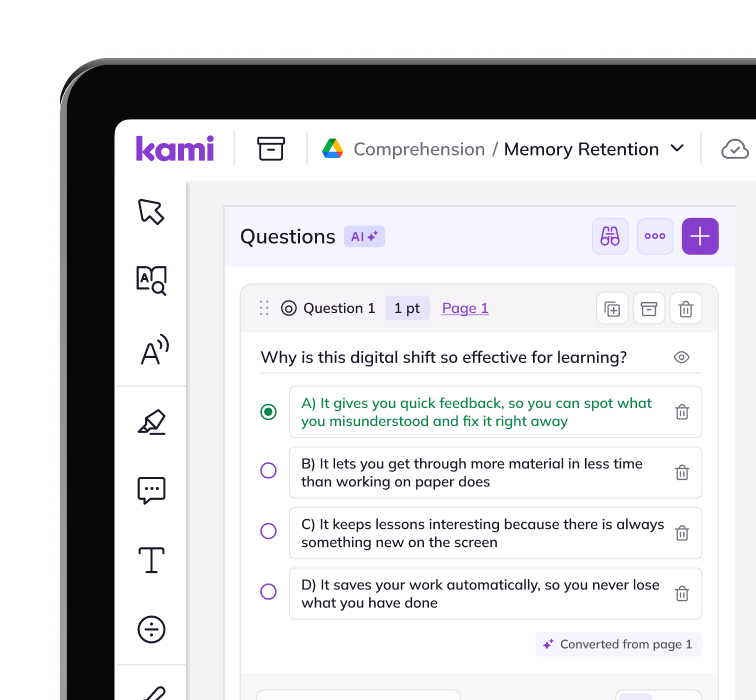
Use questions from existing worksheets
Questions AI creates questions from text, diagrams, and pictures, and teachers can convert an existing document or open any PDF. Teachers set Depth of Knowledge, difficulty, and hints.
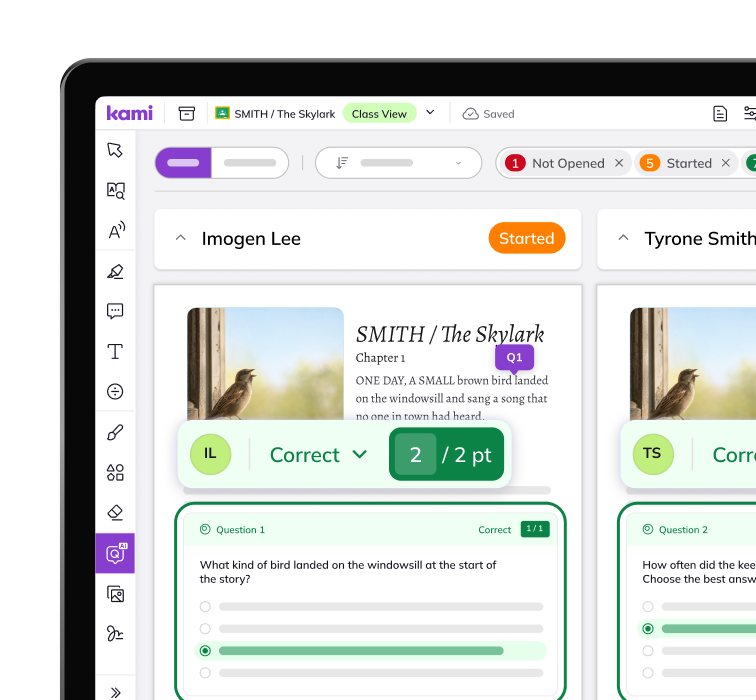
A live view while students work
Class View shows progress in real time. Answers view groups student answers so a teacher can spot class-wide patterns and adjust the lesson.
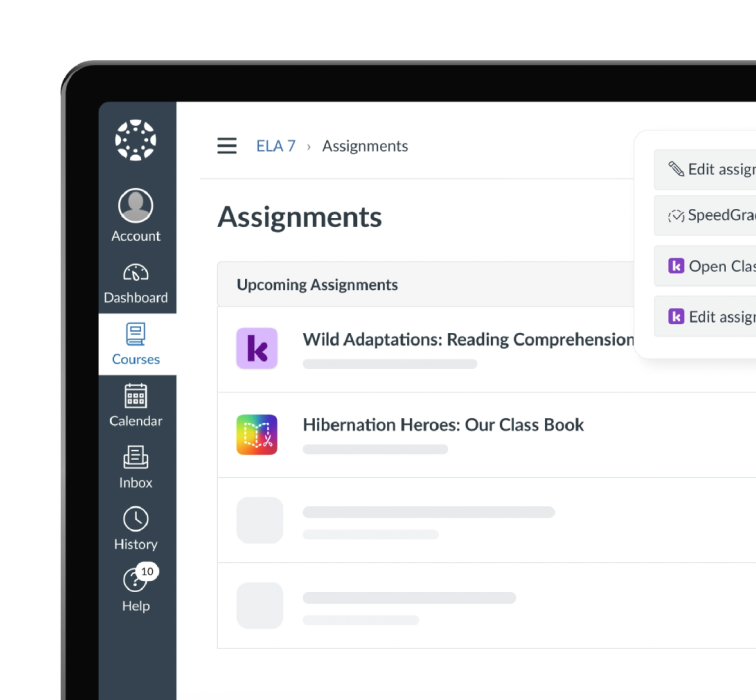
Assignments and grades in your LMS
Assign through Google Classroom, Canvas, Schoology, Microsoft Teams, or D2L Brightspace, and sync grades back.
Frequently Asked Questions about Kami App vs. Mote PDF
Is Kami App a replacement for Mote PDF?
Each product serves different needs. Mote PDF focuses on making a PDF readable, audible, and markable. Kami App focuses on what happens once a student opens the worksheet: questions, live view, and grading. Which fits best for your district depends on how your teachers and students operate.
What does Mote PDF do that Kami App doesn't?
Mote states that it checks each PDF, runs OCR on scans, and tags rebuilt documents to the PDF/UA standard (checked October 20, 2026). If remediating a large library of scanned or inaccessible PDFs is your main need, that is Mote’s stated focus.
What does Kami App do with an existing worksheet?
Teachers open any PDF, choose pages, and add questions. Questions AI can create questions from text, diagrams, and pictures. Students respond, and teachers see progress in Class View as they work.
Does Kami App work with our LMS?
Kami’s AI tools are opt-in, and the school decides which AI tools students can use.
What accessibility documents does Kami provide?
Kami has a WCAG 2.1 AA conformance letter (March 2026) and an Accessibility Conformance Report (VPAT) for Kami App. Speak to someone to request them. They support your review and don’t make a district compliant.
Product information, features, and pricing for Mote PDF are based on publicly available information as of October 2026 and are subject to change without notice. Kami is not affiliated with, endorsed by, or sponsored by Mote, the maker of Mote PDF. All trademarks, product names, and company names are the property of their respective owners. We’ve made every effort to ensure accuracy, if you spot something outdated, let us know at marketing@kamiapp.com.
Bring learning to life in your school district