

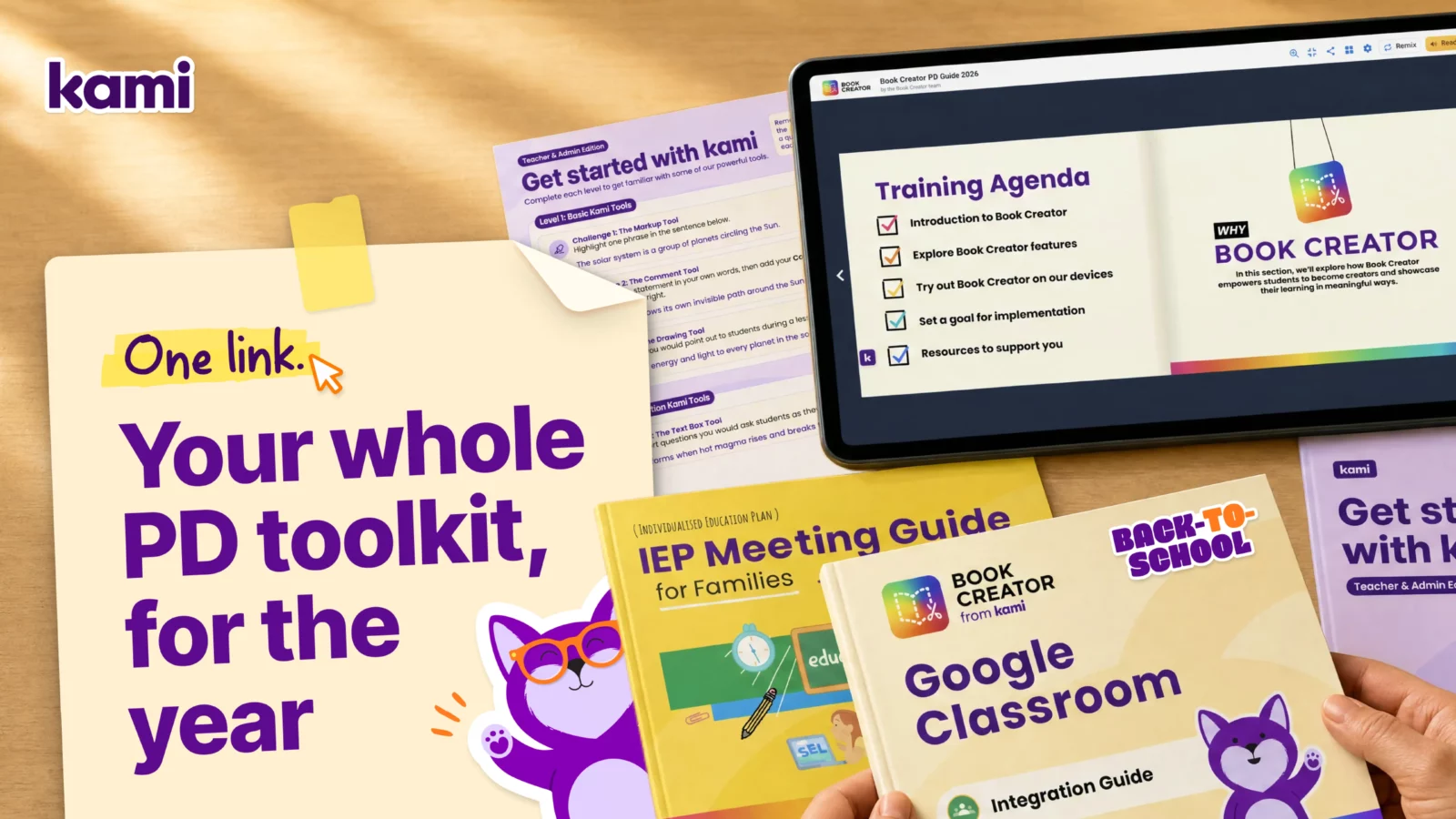

Every August, a tech coach ends up doing the same scramble: piecing together links to certifications, training videos, and starter resources from six different bookmarks, last year’s onboarding doc, and a Slack thread from March, all so teachers have one clean place to start with Book Creator, Kami App, and Kami Companion. By the time it’s assembled, half of it is out of date, and the other half only you can find.
Consider this your tech coach toolkit for Kami, kept current and kept in one place. It covers certification, the Training Hub, and the specific resources worth sharing with staff for Book Creator and Kami App, organized so you can point different teachers to different sections depending on what they actually need this year, instead of forwarding one overwhelming email in August and hoping something sticks.
Three products show up across this toolkit, so it’s worth a quick refresher on what each one actually does before handing anything to staff.
- Kami App helps teachers bring lessons to life, turning everyday materials into interactive learning experiences where they can guide instruction, ask questions, and see student thinking in real time.
- Kami Companion, new this year, makes web-based learning accessible so more students can participate independently, with built-in reading, language, and expression supports across online content and curriculum.
- Book Creator gives students a powerful way to demonstrate understanding, letting them express ideas, reflect on learning, and build work they’re proud to share. Used together, they cover engagement, access, and evidence of learning without adding three separate logins and three separate PD tracks for your staff to manage.
This list doesn’t touch our on newest product, Kami Coach which is now in beta.
Start with certification
Certification is the fastest way to get a teacher from curious to confident, and it’s worth putting in front of staff before anything else on this list.
Book Creator certification lives inside the app itself, so teachers can work through it without leaving the tool. Kami App and the brand new Kami Companion certification course are both hosted in MobileMind. If your district already uses MobileMind for other PD tracking, this slots right into what teachers are used to.
You share this flyer with your staff to get the word out.
The Training Hub: self-paced training for every product
Once certification is underway, the Kami Learning Center is where teachers go to keep learning on their own schedule. It’s organized into playlists by product, Kami App, Kami Companion, and Book Creator, with new short videos from our TLC team, the group behind Kami’s teacher training content, covering the tools teachers ask about most.
Point new hires here in their first week, and point returning staff here whenever a feature update comes through. It’s built to be the answer to “where do I go to learn this” all year, not just in August.
Kami App resources for teachers and administrators
- Getting Started with Kami for Teachers and Administrators: the starting point for staff who are new to the Kami App, covering the core setup and workflow before diving into individual tools.
- Learn Kami: a library area built for practicing one tool at a time. Send teachers here once they’re past the basics and ready to get comfortable with specific tools like text, drawing, Questions, AI, and split and merge.
Accessibility resources
Share this with any teacher building a more inclusive classroom, not just special education staff.
- Kami App accessibility: short videos on the built-in accessibility tools available in Kami App, including read aloud, dictionary, and text recognition, so students get support without leaving the page they’re already working on.
LMS guides
Teacher and student guides for the six systems Kami App integrates with most.
- Google Classroom: teacher guide and student guide
- Canvas: teacher guide and student guide
- Schoology: teacher guide and student guide
- Microsoft Teams: teacher guide and student guide
- D2L Brightspace: teacher guide and student guide
- OnCourse: teacher guide and student guide
Send teachers the guide pair that matches your district’s LMS instead of the full list. Nobody needs to read all six.
Additionally these teachers guides and student guides from our Teaching and Learning team are great resources too.
Resources for screen time discussions
Screen time is one of the first questions a parent raises at back to school night, and teachers deserve a better answer than “the district picked it.” Kami’s white paper, Intentional EdTech: digital learning for purpose and learning outcomes, gives teachers the language to explain why Kami App is on a screen in the first place: it’s replacing a worksheet, not adding a new device, and every minute on it is tied to a specific instructional purpose. Share it with staff before back to school night, not after a parent asks a question they weren’t ready for.
Book Creator resources for your rollout
Getting started and PD resources
These are the ones to hand to new Book Creator teachers, or to use yourself if you’re running a PD session.
- Book Creator PD Guide 2026: a remixable guide built specifically for facilitators running a “Getting Started with Book Creator” session, with recommendations from Book Creator’s own Teacher Success Managers and Ambassadors. If you’re the one leading training this year, start here.
- Welcome to Book Creator for Teachers: a four-step onboarding book covering why to use Book Creator and how to sign up, learn, and start teaching with it.
- Teach Your First Lesson: Teacher Guide: grade-by-grade lesson plans, from kindergarten through grade 12, for introducing Book Creator to students directly.
- Book Creator for Student Portfolios: an overview of showcase, process, and hybrid portfolio types, and how the Book Creator goal-setting page templates support each one. If your district is building toward a Portrait of a Graduate model, our full guide on structuring those portfolios is worth sharing alongside this.
From the list here is our favorite one for you from the tech coach toolkit for Kami:
Why We Love It: it’s the one resource on this list built for you specifically, not for the teachers you’re training. Remix it once and you have a session ready to go instead of building slides from scratch every August.
Accessibility resources
Share these with any teacher building a more inclusive classroom, not just special education staff. Every teacher benefits from knowing what’s available.
- IEP Meeting Guide for Families: helps families understand and participate in the IEP process, with a translatable format for multilingual families and companion resources for students to track their own goals.
- Supporting Individual Needs: a resource guide for teachers supporting students with disabilities, with examples of how Book Creator’s multimodal tools support access, participation, and engagement.
- Getting Started with Book Creator: Accessibility: a training agenda walking through alt text, closed captioning, keyboard navigation, speech to text, open dyslexic font, text to speech, and read-to-me, among other features.
- Getting Started with Book Creator: Multilingual Learners: a companion training agenda focused on the features that matter most for multilingual learners, including translated comments and speech to text in more than 120 languages.
LMS guides
Straightforward integration guides for the three most common systems.
Send teachers the one that matches your district’s LMS instead of the full set. Nobody needs to read all three.
Kami Companion resources for your rollout
Companion is the one of the newest product in the family, and the one most staff won’t have muscle memory for yet, so lean on certification here more than anywhere else on this list.
- Get Kami certified: the new Kami Companion certification course is hosted in MobileMind alongside Kami App and Book Creator, so if your district already tracks PD there, this slots into an existing workflow instead of adding a new one.
- A caregiver’s guide to Kami Companion: a one-page PDF walking parents through what Companion does and how each tool supports their student, worth sending home alongside your rollout so the first question you get isn’t from a confused parent.
If you’re the one making the case for Companion to curriculum, special education, or district leadership, lead with instruction, not the technical pitch. Kami’s UDL white paper breaks down how Companion’s built-in supports map to each principle of Universal Design for Learning, engagement, representation, and action and expression, and it’s worth having on hand before that conversation. It gives you the language to talk about Companion as part of a UDL implementation, not one more accessibility tool bolted on separately, which tends to land better with instructional leadership than a features list.
How to roll this out without overwhelming your staff
Nobody needs all of this in the first week of school. The certification courses and the Training Hub are the two things worth surfacing to every teacher up front, since they’re built to be revisited all year rather than used once. Everything else on this list works better sent in smaller batches, matched to what a specific teacher or team actually needs: accessibility resources to the teachers building out IEP supports this fall, the LMS guide that matches your district’s actual system, the PD guide to whoever is running training sessions.
For a teacher who’s brand new to any of the three products, our getting-started guides are built to be handed over directly to teachers. They each walk through account setup, certification, and a first week of use step by step.
- Getting started with Kami for back to school
- Getting started with Book Creator for back to school
- Getting started with Kami Companion for back to school
It also helps to name a few point people early, teachers who go through certification first and can answer quick questions before something becomes a help desk ticket. ISTE’s guide to building a successful edtech coaching program makes a similar case: a rollout succeeds less on the volume of resources shared and more on the relationships and trust a coach builds around using them.
If administrators or IT ask why the investment in certification time is worth it, it helps to have the numbers on hand. Kami is used in 92% of US K-12 public schools and is SOC 2 Type 2, ST4S, and GDPR DPF EU-US compliant, and Book Creator has been used to create more than 200 million books. Neither number does the rollout work for you, but they’re useful shorthand for staff who want reassurance that the tool they’re learning is stable and widely trusted before they invest a planning period in certification.
Where to start with the tech coach toolkit of Kami
If you do nothing else this week, send every teacher the certification links and the Training Hub. Then pick one resource from the Book Creator or Kami App sections above that matches a real need on your staff right now, whether that’s accessibility, an LMS integration, or a specific tool, and share just that one. The rest of this list will still be here when you need it.
Need more support? If you are a school or district don’t forget you can request professional development from our Teaching and Learning Coordiators to help your implementation of the Kami Family.
Blogs you may also like
Your March Classroom Activities, Planned


Summer Reading Resources: Journals, Author Studies, and More
April Classroom Resources: End-of-Year Energy That Actually Inspires