

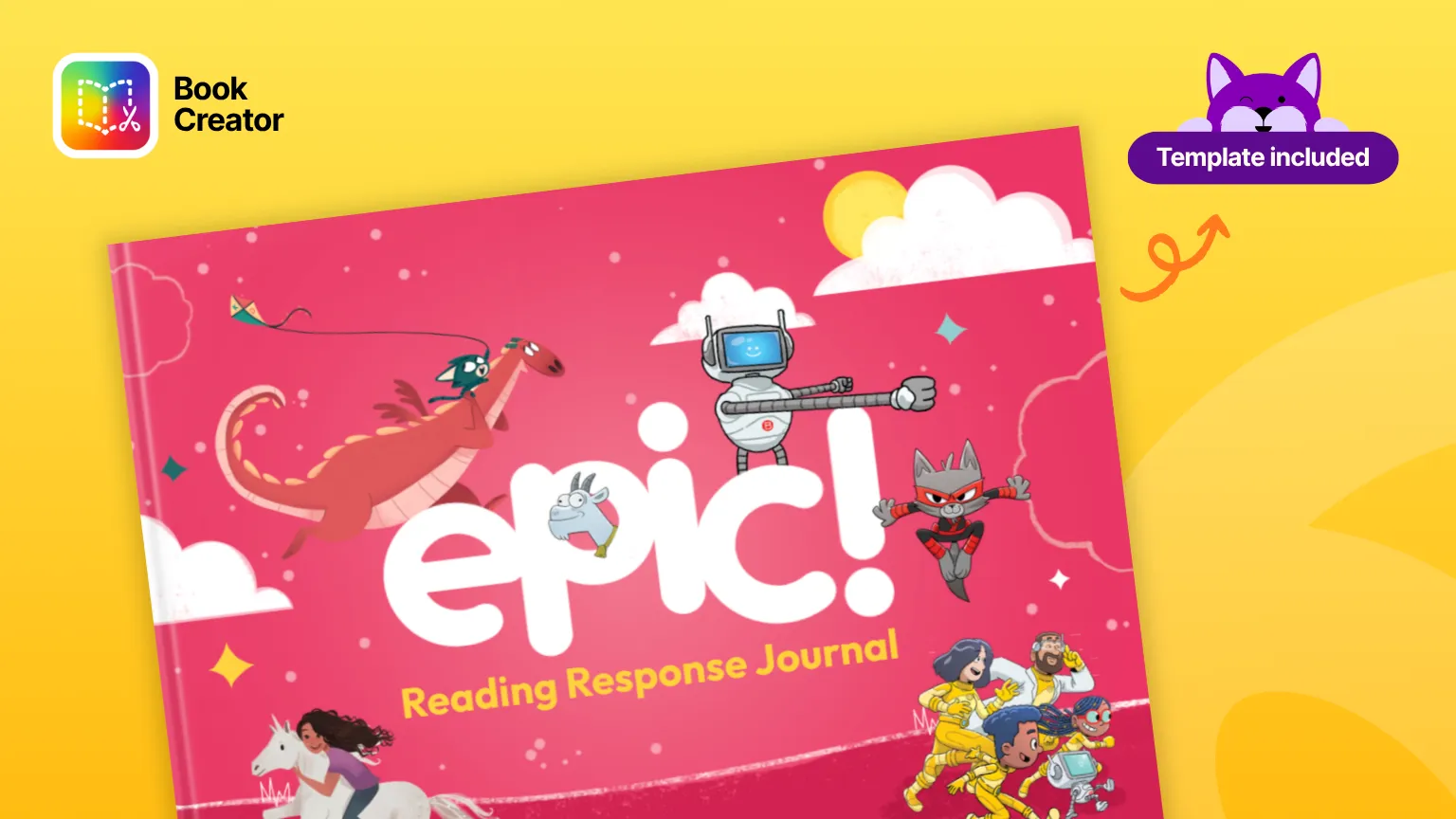

An Epic books reading log that captures what students think
Back to school means a fresh batch of students discovering Epic, and most of them settle into it fast. What the platform doesn’t easily capture is what a student took away from a book once they finished it. An Epic books reading log closes that gap, but only if it asks for more than a title and a date.
A paper log solves part of the problem. It’s also easy to lose, easy to forget, and rarely something a student wants to fill out, especially in the first few weeks of a new routine.
What an Epic books reading log is actually for
A reading log isn’t really about tracking titles. Its real job is building a habit of reflection, giving a student a reason to pause after a book instead of moving straight to the next one. That pause is where comprehension solidifies and where a librarian gets a window into how a student is reading, not just how much. A log that only records what was finished skips the part that matters.
Which Epic books work best with a log
Almost any of them, which is the point. Epic spans picture books, chapter books, graphic novels, nonfiction, audiobooks, and read-to-me titles, so a student who listens rather than decodes and a student tearing through chapter novels can both be logging from the same library. Because collections can be grouped by topic, level, or interest, you can point a small group at three titles and still have every student responding in the same format.
The one thing worth matching deliberately is prompt to book length. A short picture book supports one quick response; a chapter book or a full series arc supports a running log across several sittings.
A reading log isn’t really about tracking titles. Its real job is building a habit of reflection, giving a student a reason to pause after a book instead of moving straight to the next one. That pause is where comprehension solidifies and where a librarian gets a window into how a student is reading, not just how much. A log that only asks for a title and a date skips the part that matters.
We built two different reading response templates for students reading in Epic, because not every book or every reader calls for the same kind of reflection.
Two Epic books reading log templates, two ways to respond
The reading response journal is built for a student working through a book on their own. It walks them through a summary of what they’ve read, their own thoughts on it, a prediction for what happens next, a short book review, and a book talk they could use to pitch the book to someone else. It ends with a recommendation, so the reflection naturally turns into something another reader can use. This one is the deeper, more independent option, closer to a full reading response than a quick check-in.
The reading choice board works differently. Instead of one fixed set of prompts, students choose from options built around character, setting, their favorite part of the book, and a compare-and-contrast prompt, and it includes a discuss-with-a-friend option that the journal doesn’t have. It’s the better fit when you want students working in pairs or small groups, or when you want to offer choice instead of a single required format.
Use the journal when you want individual, structured reflection. Use the choice board when you want something more flexible and more social. Many classrooms end up using both, depending on the book or the week.
Because both live in Book Creator, students can respond with writing, a quick drawing, or a short recorded reflection, so either template works whether a student is a fluent writer or still building that skill. And because entries stay in one running book, a student, or you, can flip back and see how their reading and their reflections have grown since the first entry.
Why we love it
The choice board’s discuss-with-a-friend option is worth calling out on its own. It’s a small addition, but it’s the piece that turns a solo reading log into a shared conversation, which does more for reading culture in a library than either template would on its own.
Watch it in a real classroom
We covered both templates in a live session with Epic as part of our App Smash Bash webinar series, where a third grade teacher in Massachusetts and an IB school teacher joining from India walked through how they actually use them. One demo opens the reading response journal directly from the Epic teacher dashboard, then shows a class working through both the journal and the choice board, including two students comparing their choice-board reflections on the same book side by side after a round of buddy reading.
Two smaller details from that session are worth knowing before you set this up. Read to Me is built into both Epic and Book Creator, so a student’s response page can be read back to them the same way an Epic book can. And a finished response journal shares the same way an Epic collection does, as a link, a code, or a downloadable PDF, so a family at home can see the reflection, not just hear that it happened.
For reluctant readers, start with Cat Ninja
Not every student is going to open a reading response template for just any book. For the ones who need a hook first, we built a set of six activity books to go with Epic’s Cat Ninja series, a favorite with readers who gravitate toward graphic novels and humor over traditional chapter books. Each one lets students dig into character motives, map out the story’s events, and play with vocabulary from the series, all through the same creative, low-stakes format as the reading response templates. They’re a good on-ramp for a student who isn’t sure a reading log is for them yet, and a fun addition to a display or a themed reading challenge either way. You can find them all in our Books Librarians Love library.
Getting started
Remix whichever template fits the moment, share it to your class library, and ask students to open it after they finish a book (or a Cat Ninja title) in Epic.
One setup tip from the same webinar: if you want students to move straight from a finished reflection back into their assigned Epic collection, open the book in edit mode, tap the plus button, choose media embed, and paste the link to that collection. It turns the response journal into a one-tap path back to reading instead of two separate logins to manage.
If your school also uses Sora
The same approach works for Sora readers. See our post on books to read on Sora for a version built around that platform’s library and reading structure, so you can offer the right log no matter which reading platform a class is using.
Frequently asked questions
More than title and date. A log that captures learning asks for a short summary in the student’s own words, a reaction to a specific moment or character, and ideally a recommendation for another reader. Those three things turn a completion record into evidence of comprehension you can actually discuss with a student.
Epic records that a book was finished and how long a student spent in it. That’s useful data, and it’s not the same as knowing what they understood. A reading log sits alongside that tracking rather than replacing it: Epic tells you how much, the log tells you what.
/a
Epic is built for kids 12 and under, roughly kindergarten through sixth grade, and both templates are designed for that span. Younger students lean on the drawing and voice recording options; older students tend to write. The prompts stay the same either way.
Epic has offered a free tier for elementary teachers and librarians that gives students access during school hours, with a paid school subscription available for extended and at-home access. Pricing and tiers change, so check Epic’s educator page for what’s current rather than relying on this post.
Cat Ninja is a graphic novel series available on Epic, popular with readers who gravitate toward humor and illustrated stories over traditional chapter books. We built a set of six activity books to go alongside it, focused on character motives, story events, and series vocabulary.
Yes, and it’s one of the better reasons to keep one. A student’s own reflection on a book is specific, it’s in their voice, and it’s tied to a skill you taught, which is exactly the kind of evidence a circulation report can’t produce. Our post on the librarian portfolio covers how to collect that across a year.
Blogs you may also like
Your March Classroom Activities, Planned

Summer Reading Resources: Journals, Author Studies, and More
April Classroom Resources: End-of-Year Energy That Actually Inspires